
Microsoft announced today at its developer conference Build 2026 the release of Coreutils for Windows, bringing many of the most used Linux utilities to Windows as native applications.
This project is based on an open source project, a rewrite of the GNU coreutils platform in Rust, and is designed to make it easier for developers to switch between Linux, macOS, Windows, and the Windows Subsystem for Linux (WSL) without changing workflows.
“Developers are constantly moving between platforms, but standard commands don’t work consistently, forcing workarounds, lost speed and context switching,” Microsoft announced.

“To address this, we built Coreutils for Windows from the uutils open source project, a reimplementation of the GNU Coreutils platform in Rust. These are Linux-like command-line utilities that run natively on Windows.”
According to Microsoft, the aim is to make existing commands and tools work on all platforms so that documents can be used in Windows without modification or other tools.
The Coreutils for Windows project has also been released on GitHub as a Microsoft-maintained package that bundles utilities/core, findutils, and the GNU-compatible grep implementation into a single binary.
Linux utilities that run natively on Windows
Coreutils for Windows includes many commands commonly used in Linux, such as cat, cp, find, grep, hostname, ls, mv, pwd, rm, sleep, tee, and time.
Resources can be installed via WinGet using the following command:
winget install Microsoft.CoreutilsRather than creating separate executables for each program, Microsoft created one coreutils.exe binary containing all the functionality of each program.
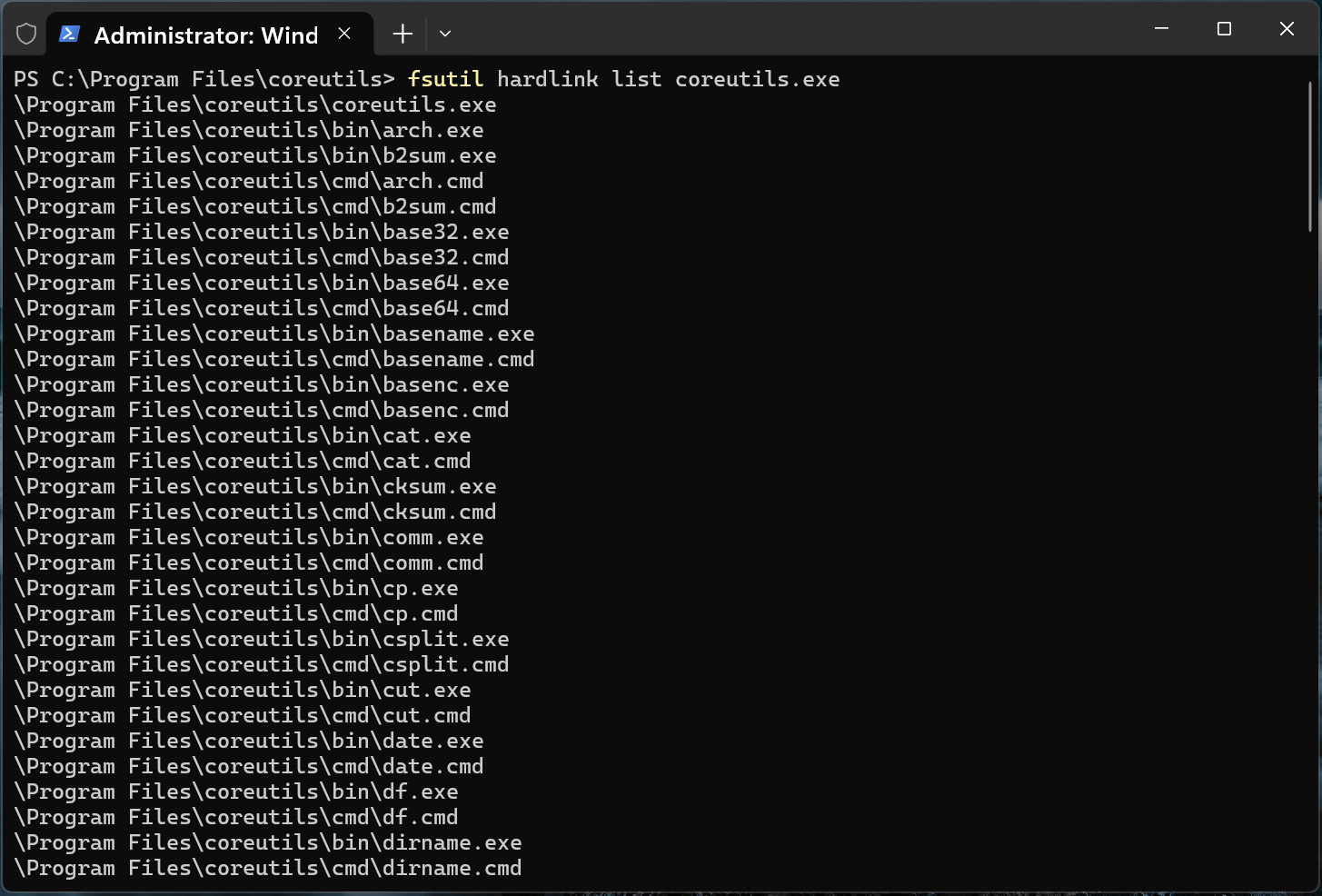
When Coreutils for Windows is installed, the setup creates NTFS hardlinks for each supported command, such as ls.exe, cp.exe, cat.exe, and rm.exe, all of which point to c:Program Filescoreutilscoreutils.exe usable.
When the user launches one of these commands, Windows loads coreutils.exe, which determines which utility should run based on the name of the command executed. This allows Microsoft to maintain a single executable while still providing individual Linux-style commands.
Running fsutil hardlink list coreutils.exe shows a bunch of command names, including cat.exe, cp.exe, cut.exe, base64.exe, and others, all referring to the same file on disk.
As with many Linux command names that conflict with existing Command Prompt and PowerShell commands, Microsoft has shared a compatibility table that shows how each utility behaves in different Windows shells.
For example, commands like ls, cat, cp, mv, rm, pwd, sleep, tee are included with the package.
However, which version of Coreutils is used depends on the shell being used, the order of directories in the PATH system, and the PowerShell alias table.
Some commands, including dir, more, paste, and whoami, are not sent because they conflict with existing Windows commands.
Microsoft also removed several popular Unix utilities that rely on POSIX functionality, which are not available on Windows, including chmod, chown, chroot, nohup, tty, and who.
The company also says it has not released the ‘kill’ or ‘timeout’ commands, as Windows does not support POSIX signals, although this may happen in the future.
Microsoft also warns that there may be differences between how Linux works and how commands work in Windows due to differences in line feeds, file permissions, and POSIX support.
Coreutils for Windows was announced as part of Microsoft’s strategy to make Windows a developer-friendly platform.
During Build 2026, the company also announced WSL containers, which will provide a built-in way to create, run, and communicate with Linux containers on Windows using native CLI tools and APIs.

Automated testing tools deliver real value, but they’re designed to answer one question: can an attacker deploy on a network? They are not designed to check that your controls block threats, your firewall detection, or your cloud configs.
This guide covers the 6 areas you really need to verify.
Download Now