
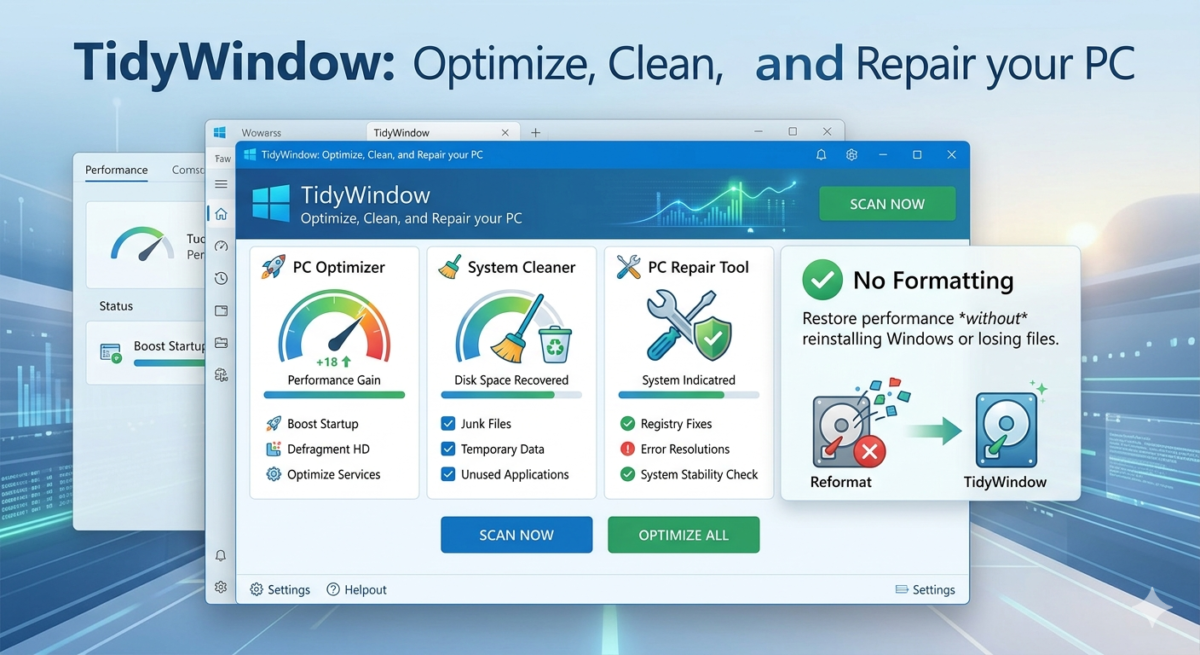
TidyWindow: Optimize, Clean, and Repair your PC without Formatting
If your Windows is slow, has connection problems, or is accumulating junk, you don’t need to format. The new version of TidyWindows (from developer Cosmos0118 on GitHub) is here to be the “Swiss Army knife” for PC maintenance.
With a robust interface, it offers RAM cleaning, Windows Update error correction, registry optimization, and much more, all in a portable executable.
In this guide, we’ll explore how to download and use the key features to make your computer run like new.
How to Download TidyWindow
- Go to Google and search for “ TidyWindow GitHub ” .
- Tip: The correct name is “TidyWindows”, but the executable may appear as
tidwind.exe.
- Tip: The correct name is “TidyWindows”, but the executable may appear as
- Enter the first result (from user Cosmos0118 ).
- On the right side of the page, click on Releases.
- Download the latest version (
.zip64-bit file). - Extract the file and run it
tidwind.exeas Administrator.
Main Features
The tool is divided into tabs. Let’s focus on the most important ones for daily use.
1. Essentials (Essential Maintenance)
Here you will find quick repair tools.
- Network/Internet Fix: Clears the DNS cache and resets IP settings. Excellent for resolving slow or unstable internet connections.
- Health Check (System Health): Uses native Windows tools (DISM and SFC) to automatically scan and repair corrupted system files.
- RAM Cleaner: Frees up RAM in use and cleans memory in “Standby” mode. Ideal for running before demanding games.
- Disk Cleanup: An advanced disk cleanup that removes temporary files and telemetry logs.
2. Startup (Initialization)
Manage what starts with Windows to boot up your PC faster.
- The list shows everything that opens with the system.
- You can click Disable to disable unnecessary programs (such as Adobe updaters, OneDrive, etc.) or set a Delay so that they only open after Windows has already loaded.
3. Registry & Optimization
Fine-tuning for performance.
- Performance Booster: Applies registry tweaks to prioritize performance.
- Game Mode: Adjusts latency and priority for games.
- Stop SysMain: Detects if you are using an SSD and disables the SysMain service (formerly Superfetch) to save disk space. If it’s an HDD, it optimizes it.
- Disable Telemetry: Turns off Windows spying and data collection.
4. Fixes (Specific Corrections)
If something specific has stopped working, this tab will be a lifesaver.
- Windows Update Fix: Resolves errors that prevent Windows from updating.
- Windows Defender Fix: Restores the native antivirus if it is malfunctioning.
- Printer Spooler Fix: Solves problems with printers that won’t print.
5. Cleanup (Deep Cleaning)
A complete scan for unnecessary files.
- Click Run Preview to review what can be deleted.
- Select categories such as “Downloads” (be careful with your files!), “Temp Files,” and “History.”
- Click to clear and free up gigabytes of space.
Conclusion
“TidyWindow” is a comprehensive software utility designed to breathe new life into your PC, ensuring peak performance without the hassle of a full reformat. Our all-in-one optimization, cleaning, and repair suite addresses common computer slowdowns and stability issues efficiently.
First and foremost, TidyWindow acts as a robust PC optimization tool. It begins with a deep scan of your system to identify junk files, obsolete data, and temporary internet files that clutter your hard drive. By clearing these out, you free up valuable space, often leading to immediate speed improvements. TidyWindow doesn’t stop at just deletion; it also includes a powerful defragmentation utility to reorganize files on your hard drive, leading to faster data access.
Beyond optimization, TidyWindow excels as a thorough PC cleaner. It targets redundant applications and deeply integrated startup items that unnecessarily consume system resources. By streamlining what programs launch with your computer, you will experience significantly faster boot times. Our clean-up module also meticulously sweeps through your system registry, correcting broken entries that can cause system crashes and instability.
Most importantly, TidyWindow offers essential PC repair capabilities. It can scan for and resolve system errors, including DLL problems and invalid file shortcuts, which are often responsible for applications failing to launch properly. It’s equipped with tools to identify and fix registry issues, enhancing overall system reliability and preventing those frustrating error messages.
Unlike a full reformat, which wipes all your data and requires reinstalling everything, TidyWindow’s non-destructive repair approach keeps your important files and personalized settings intact. This makes it an ideal, user-friendly solution for anyone looking to restore their PC’s health quickly and effortlessly.
TidyWindow is an indispensable tool for technicians and advanced users. It brings together dozens of complex Windows commands into simple buttons, allowing for complete maintenance in just a few minutes.