Microsoft has released a preview update for KB5089573 Windows 11 versions 25H2 and 24H2, which comes with 30 changes, including performance and reliability improvements.
The KB5089573 update is part of the company’s non-security preview program, designed to introduce new features and fixes at the end of each month, allowing IT administrators and users to test them before rolling them out to general users during the following month’s Patch Tuesday.
However, unlike the regular Patch Tuesday cumulative updates, the monthly preview updates are optional and do not include security updates.
With the May 2026 voluntary update, Microsoft is gradually rolling out general OS performance improvements and several reliability improvements to Windows Hello.
“This update speeds up app launch and key shell experiences like the Start menu, Search, and Action Center,” Microsoft said in a Tuesday support document.
“This update improves sign-in behavior on the lock screen and the sign-in screen. If Windows Hello face or fingerprint is set up and available, it’s now the default sign-in method every time you sign in, even if you used a different method before. If you need to use your Windows PIN and use it three times in a row, Windows will stay with the PIN until you switch to another sign-in method.”
Additionally, KB5089573 improves Windows reliability in File Explorer, on sign-in and lock screens, when changing themes in Settings, and when using touch on touchscreen devices.
This preview update also improves performance when resuming from a modern standby and reduces the number of unexpected blocks during Windows Hello Advanced Sign-in authentication.
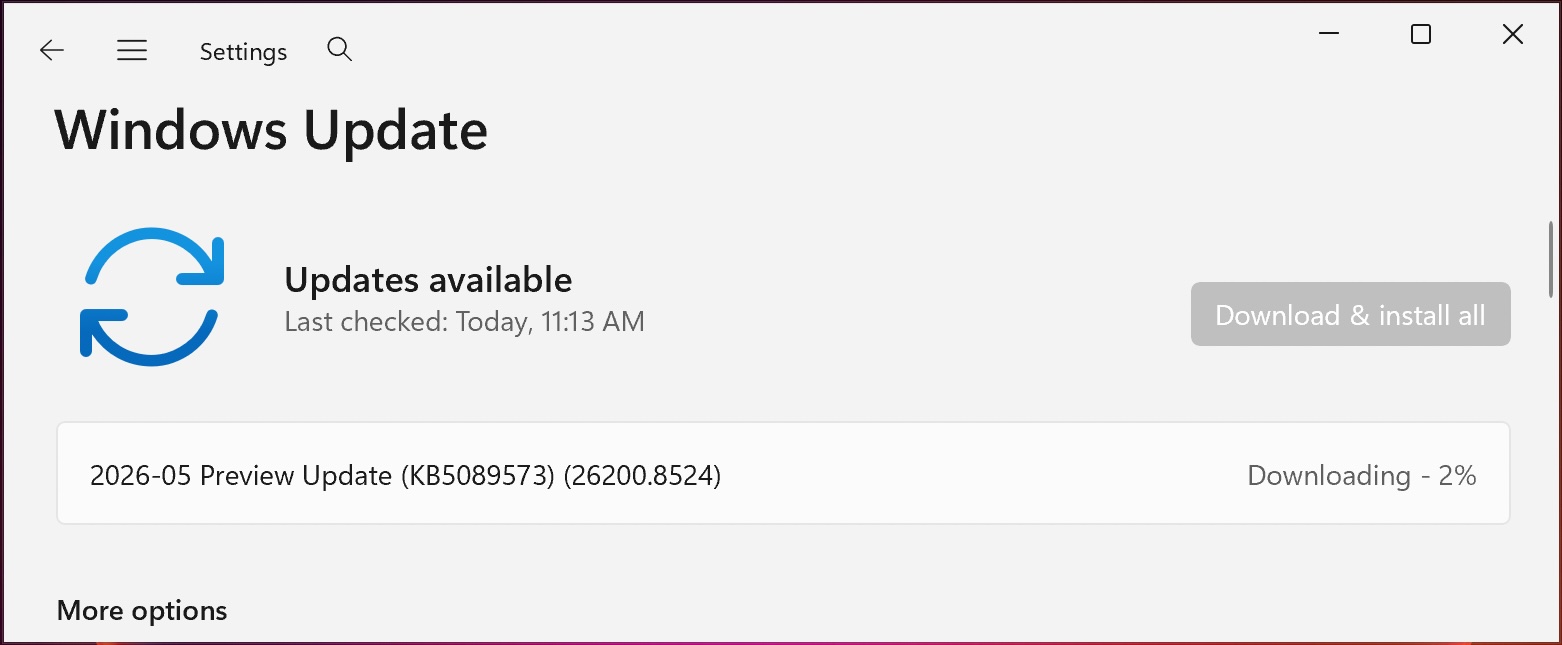
You can install this update by downloading it from the Microsoft Update Catalog or by running it Settingsby clicking Windows Update, and choose “Check Updates.”
Because this is an optional update, you will be asked if you want to install it by clicking the “Download and install” link unless you have the “Get updates as soon as they become available” option, which will allow the OS to install it automatically.
Windows 11 KB5089573 Highlights
Once installed, this optional non-secure update will upgrade Windows 11 25H2 and 24H2 devices to builds 26200.8524 and 26100.8524, respectively.
The May 2026 preview update adds additional improvements, some of the most important of which are highlighted below:
- Shared audio allows two people to listen to the same audio at the same time on Windows 11 PC.
- This update improves the CPU speed display on the Task Manager Task Manager page for VMs, so it no longer shows higher-than-expected numbers after restarting from winter.
- [Sensors] This update improves resilience against apps that can keep the sensor hub open and drain power, impacting battery life.
- [Human Interface Device (HID)] This update improves the battery life of the HID and Input stack on failed HID devices. Power efficiency is also improved compared to applications that may initiate HID transmission during standby.
- With this update, Windows quality updates include additional device targeting data with high confidence, increasing the coverage of devices that are eligible to automatically receive new Secure Boot certificates. Devices receive new certificates only after showing sufficient signals for successful renewal, maintaining a controlled and phased rollout.
Microsoft also reminded users that updated Secure Boot certificates are coming out to replace the 2011 certificates, which are scheduled to expire in late June.
In January, Microsoft first revealed plans to renew expiring Secure Boot certificates for Windows 11 systems, after warning users and IT managers in November 2025 to update security certificates before they expire.
Over the weekend, Microsoft reconfirmed a known issue affecting Windows Server 2016 systems that cause domain controller lookup failures after installing the KB5087537 May 2026 security update.
Automated testing tools deliver real value, but they’re designed to answer one question: can an attacker deploy on a network? They are not designed to check that your controls block threats, your firewall detection, or your cloud configs.
This guide covers the 6 areas you really need to verify.
Download Now