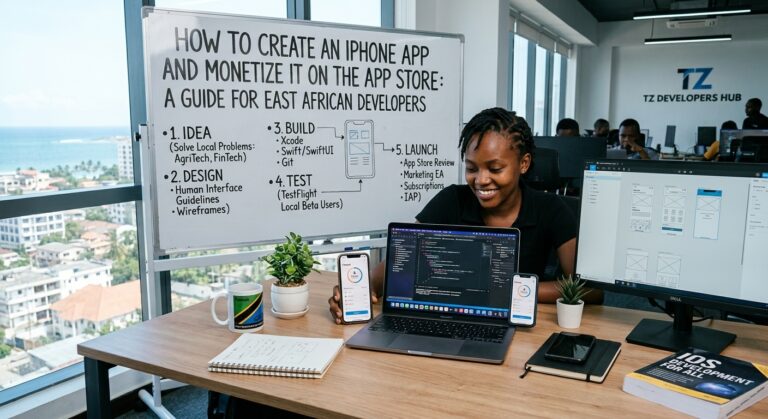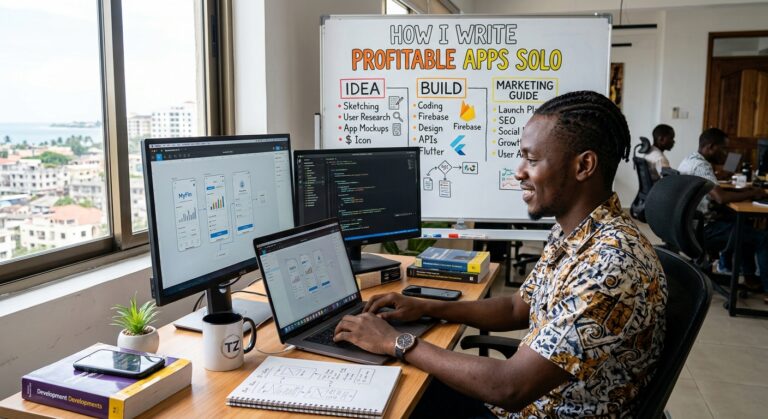
If you want to work for yourself, create passive income, or simply earn more money on the side—or want to become a digital nomad like me—then building your own app is a great way to achieve all of these goals. Because you can work for yourself. You can gain greater freedom in your life. You can work from anywhere. And now, building your own SaaS app, whatever it is, is easier than ever.
In this guide, I’ll show you how to do it—from the very beginning to getting your app into the hands of people. Getting started costs next to nothing. So, no excuses. Let’s get started.
We’ll go from coming up with a great idea to having your product tested and used by real customers around the world. This year, I built a mobile app from scratch that will soon be used by the UK government. Over the past five years, I’ve built a variety of apps—finance, AI, and SaaS. And now, after building apps for others, it’s time to expand my horizons and start building my own.
I learned to code at 30, so I know what it’s like to feel overwhelmed by the technical side of building an app. But if you take it step by step, you’ll succeed. You just need to learn how to problem-solve. And I’ll teach you how.
But if I’ve learned anything, it’s that creating an app is just the first step. Things have changed. Building apps is much easier. So, a lot of your focus should be on distribution—getting your product noticed. Before tech, I spent several years in marketing and built a social media following of around half a million people. And that’s one of the best ways to ensure distribution.
During this time, I’ve learned how to create apps from scratch and market them so they reach real users, not just your weird uncle or grandma. My main goal is to teach you both of these skills.
Let’s go on this journey together. Travel the world doing this. Have fun and create cool things. And it doesn’t have to be a million-dollar app. You can simply copy something that’s already out there—and it might just pay your rent.
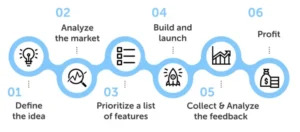
Do you need to learn programming?
Different people will tell you different things. Here’s my opinion. I think you should learn—but the definition of “learning to program” has changed dramatically with the advent of AI. It’s much easier now. And you don’t need to dive as deep as a professional developer. You don’t need to know data structures and algorithms. If you enjoy it, go for it. But if you just want to build an app, learn the basics and then learn as you go.
It’s called project-based learning. It’s the best way: you set real-world problems for your app and learn to code by solving them. And the reason I recommend it is that knowing some basics allows you to speak code with an AI assistant. For example, in front-end development, knowing HTML and CSS is very helpful when those ugly mistakes inevitably arise.
In an ideal world, you’d learn to write clean code, but that’s not an ideal world. You want to build an app. So learn what you need and learn by doing.
Idea: Where to start
Let’s go back to the first step—the idea. Or, more simply, to the problem you’re trying to solve.
If you don’t have any ideas, it’s best to focus on the real problems in your life. Make a list of 5-10 problems that could be solved with technology. Because if you have this problem, I’m sure other people do too—and they’re willing to pay for a service that solves it.
Or, if you can’t find any problems in your life, simply copy a product or service that’s already on the market and for which there’s demand. Don’t feel guilty. A great example is Amazon. Amazon isn’t known for its large-scale innovation, but they copy other people’s products and does it so well that they become market leader. This is great if you’re starting from scratch.
But don’t just copy it. Use different marketing, add your own unique twist, different features—give the product its own unique flavor. If the product exists, there’s clearly a demand for it. Take advantage of that.
There’s another approach I’ve seen some indie developers take: create a landing page, promote the product, and see if there’s demand—even before you’ve built it. If there is, build it. Or even approach investors. Give it a try, if you want.
Tech stack
Let’s say we have an idea. Now the question is: which stack to use?
It’s not as important as you think. The main rule: always choose the most popular stack. Why? Because AI assistants have been trained through years of experience with popular languages. They will work better with them. Plus, there’s much more documentation online for popular languages—if you encounter an error, you’ll find the answer faster.
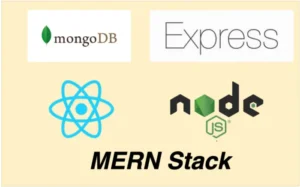
I would focus on the full JavaScript stack. The simplest stack I recommend is MERN: MongoDB, Express, React, and Node. There’s a wealth of documentation, numerous JavaScript apps, and you only need to learn one language.
If you need a training plan, here is the order:
HTML → CSS → JavaScript → React → Next → Node → Express → MongoDB
For free training, I use The Odin Project—an amazing full-stack JavaScript course based on project-based learning. If you’re looking for something more in-depth and paid, I recommend Zero to Mastery.
And if you want to build mobile apps, just add React Native. If you know React, it’s super easy. Use Expo—it lets you build iOS and Android apps from a single source code base.
How to Use AI to Write Code
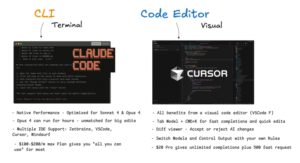
There are a huge number of AI assistants for programming available right now. Which one should you choose? Many of them are similar—they use the same models. The choice depends on the interface you prefer and the cost. I use Cursor, Claude Code, and Warp. If you’re just starting, go with Cursor. $20 a month and you’re up and running.
Some people get hung up on which is better—Claude or Cursor. It doesn’t matter. Just pick one and stick with it. If you don’t like it, switch.
The main tip for working with these tools: you’ll code less and plan more. Cursor and Claude Code both feature a planning mode. Use AI to create a plan—let it break the task down into steps based on the features you need. This will reduce surprises and make it easier to move forward.
I also plan in Notability—a note-taking app that works on tablets and phones, and it’s free. It provides visual templates that are great for visualizing functions. If I have an idea while out and about, I just add it there.
Regarding vibe-coding tools like Lovable, where you don’t see the code at all: if you can create what you need with them, that’s great. But for most projects, you’ll have to customize and tweak them, and you’ll run into the limitations of such platforms.
MVP: Release quickly
UX is key. Does the app look good? Is it intuitive to use? If it’s the best app in the world but looks terrible, no one will use it. A good rule of thumb, if you’re not a UX specialist, is to use a template or copy the design of existing apps.
At this stage, your goal is to create a minimum viable product. This is perhaps the most common mistake when creating a new app: instead of releasing a basic version, people get carried away and add a bunch of features. This delays development, and then it turns out that users don’t need these features at all. Sometimes, feedback steers the product in a completely different direction.
The right approach is this: release a simple working version, put it out into the world, get feedback from real users – and then change and tweak it based on that.
Monetization and deployment
Once the app is ready, you need to decide on pricing. Options include a monthly or annual subscription, or a one-time fee. In any case, offer a free trial. For accepting payments, I use Stripe—the most well-documented and reliable service. Just use it.
For deploying web apps, I recommend Vercel—it’s what most people use. For mobile apps, use Expo: one command, and it builds the app and submits it to the Google Play Store and App Store.
Marketing: The most important part
So, the app is created. Now you’re diving into marketing. I think this is the most important part, determining the success of your app.
I highly recommend developing in public. This approach has many advantages: you create a distribution funnel, get feedback on the product, identify potential problems, and find your first users. Plus, it’s much more interesting than working alone—you make contacts and hone your communication skills. Don’t worry about someone stealing your idea.
In my opinion, X is the easiest platform to start with if you’re creating a publicly accessible product. Also, try video content on Instagram and YouTube. My approach: spend about 20-30% of your time creating content about the development process, and the rest on the app itself.
After launching, post it on Product Hunt. Reddit is probably the easiest option: just write a post, tell the story behind it, and ask people to test it.
Sam Altman said: if you stay in tech long enough, you become a salesperson. You’re selling a product, you’re selling yourself as a person, you’re selling a story. Try to clearly define what you want your brand to convey. Who is your ideal client? What tone do you want to strike? Ask yourself these questions upfront.
About the Author