Laptops for creators and their hardware requirements
Content creation, 3D rendering, and multimedia production with high-resolution image and video editing are tasks that require specific hardware, especially if you intend to pursue them at an enthusiast or professional level. A laptop geared towards the editing and creation sector needs to integrate components with solid CPU and GPU performance as well as ample RAM and a focus on screen capabilities.
Today, we find a wide variety of formats in this category on the market. We have everything from very slim models that aim to balance powerful hardware with lightness and battery life, to true 16- and 18-inch beasts that don’t skimp on hardware at the expense of portability.
A modern laptop for design and editing can integrate components that rival desktop workstations. Large amounts of RAM are practically a requirement (and a curse considering the price increases caused by the memory crisis ), not to mention high-capacity, high-speed SSD storage.
The screen, as we mentioned, is key; not only for its size and resolution, where 4K is now more or less commonplace, but also for features like color coverage (100% DCI-P3 and broad Adobe RGB coverage are practically mandatory) and even the refresh rate. HDR support, enhanced with panels featuring independent lighting zones, powerful brightness, and high bitrates, is also increasingly important. Today, OLED panels have spread across many product ranges, and Mini LED technology, still reserved for the high-end, is here to stay and offers excellent support for these technologies.
There is a wide range of laptops for professionals to suit all budgets and needs. We continuously receive the most cutting-edge models with the latest technologies as soon as they leave the factory, allowing us to analyze firsthand the real-world performance of new architectures and thermal designs to select the best available equipment.
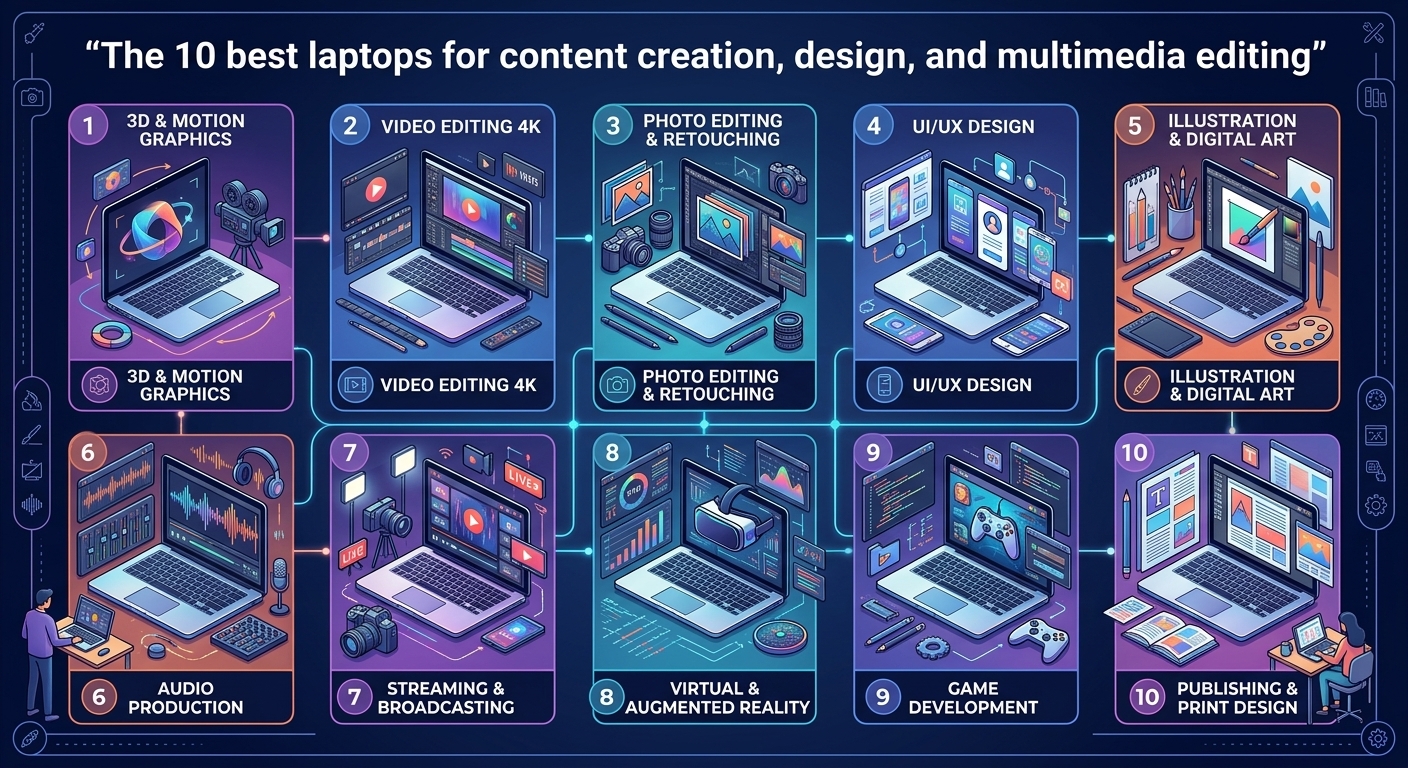
Therefore, in this article, we will look for the 10 best laptops for Content Creation, multimedia editing, and design in general that have passed through our laboratory, highlighting the best options for all types of needs.
The TOP 10 Best Laptops for Creators that we have reviewed
At BuzzBongo, we’ve spent years testing high-performance laptops in our lab. Hundreds of models have passed through our hands, and we’ve witnessed the arrival and consolidation of technologies that are now taken for granted, even in professional-grade models.
Panels with validations from Pantone and other entities, pre-calibrated equipment, high-bandwidth Thunderbolt connectivity, or the integration of NPU processors to speed up local artificial intelligence tasks in editing programs.
The arrival of increasingly capable processors with a greater number of cores from Intel or AMD, and now also Qualcomm, has greatly benefited tasks where parallel processing capacity is key, such as rendering; and the same is true for increasingly powerful GPUs with greater acceleration capacity, also in AI.
Given the evolution of hardware, this TOP 10 list will not be fixed, but we will make regular updates as soon as new models of this type pass through our laboratory and earn a place in the ranking.
As for the criteria for selecting the best computers, we will review them in more detail in the conclusion of the article, but we can summarize them as computers with solid performance to handle editing, creation, or design software smoothly, sufficient amounts of RAM and storage, good connectivity options for the use of external storage, and quality screens with good color coverage and calibration.
Naturally, other important aspects will be taken into account, such as cooling capacity to maintain sustained performance during long work sessions under heavy loads, as well as design and construction considerations. Battery life will also be considered, though to a lesser extent.
Furthermore, it’s important to keep in mind that just because a manufacturer classifies their laptop as “for creators” doesn’t mean it actually meets those criteria. Similarly, many laptops categorized as “gaming” offer all the features one might need in a machine for creation and editing.
Taking all of this into account, here is our selection of the 10 Best Laptops for Content Creation.
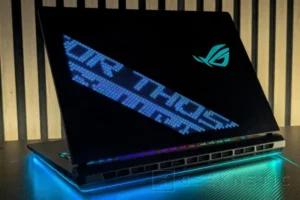
1. ASUS ROG Strix SCAR 18 (2026)
Although it has a gaming soul, it’s also the most powerful laptop for editing and creation.
| Component | Specification |
| Processor, RAM & Storage | Intel Core Ultra 9 290 HX Plus, 64GB DDR5-5600, 2 x 2TB NVMe PCIe 4 RAID 0 |
| Graphics Card | NVIDIA GeForce RTX 5090 without limitation (175 W) |
| Screen | 18″ ROG Nebula HDR Display, 4K 240 Hz Mini-LED |
| Category | Feature / Details |
| The Best (Pros) |
• Impressive performance
• 64 GB of RAM and 4 TB of storage in RAID 0
• Without power limitations
• Mini LED 4K screen at 240 Hz
• State-of-the-art connectivity, with WiFi 7 and Thunderbolt 5
• A truly eye-catching design
|
| The Worst (Cons) |
• The 240 Hz refresh rate can only be used if the RTX 5090 is forced to be used; the integrated graphics are limited to 120 Hz
• Annoying McAfee bloatware
• Low autonomy
• Heavy, large, and expensive
• The Intel Core Ultra 9 290HX Plus reaches 102°C
|
Yes, we already know that this ASUS ROG Strix SCAR 18 (2026) is a gaming laptop that, in fact, won the award for best laptop in the world. However, it’s the perfect example of what we mentioned in the introduction: many gaming laptops offer the best performance we can find, not only for games, but also for demanding editing and creative tasks.
The ASUS ROG Strix SCAR 18 (2026) is a laptop that prioritizes raw performance over portability, boasting a large chassis measuring 3.5 cm thick and weighing 3.73 kg. This profile allows the NVIDIA GeForce RTX 5090 to operate at its maximum TGP of 175 W, avoiding the power throttling common in thinner laptops. The graphics card is paired with an Intel Core i9 Ultra 290HX Plus processor, 64 GB of DDR5 RAM, and two 2 TB NVMe PCIe 4.0 SSDs configured in RAID 0.
Therefore, we have one of the most powerful processors in the world, accompanied by the most powerful graphics card on the market, with 64 GB of RAM and a 4 TB RAID 0 that exceeds 13 GB/s- the dream of any professional or enthusiast of 3D design, CAD, or advanced multimedia processing.
As for the screen, it features an 18-inch Mini LED panel with 4K resolution (3840 x 2400 pixels) at 240 Hz in a 16:10 aspect ratio. Our measurements show a brightness of 599 nits in SDR, theoretical infinite contrast, and 100% color coverage in sRGB and DCI-P3, with 89.3% in Adobe RGB. However, its factory calibration is too modest for a professional environment: the average Delta E is 4.6, and the white balance leans aggressively towards cool tones, distorting colors. Therefore, if color accuracy is required, a colorimeter is necessary.
Naturally, it is a very expensive piece of equipment that costs 5,800 euros, with a large and heavy design and a huge 520W power supply, but in return, it will give us superior performance to that of many desktop computers.
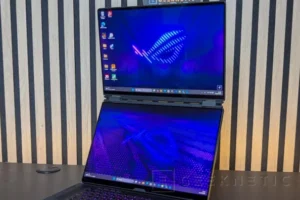
2. ASUS ROG Zephyrus Duo (2026) GX651
Dual OLED screens with full Adobe RGB coverage, accompanied by a 5090
| Component Category | Hardware Specifications |
| Processor | Intel Core Ultra 9 386H |
| RAM | 64GB LPDDR5-8533 |
| Storage | 2TB NVMe PCIe 5 |
| Graphics Card | NVIDIA GeForce RTX 5090 (150W TGP Max) |
| Screens | 2 x 16″ OLED (2880 x 1800, 120Hz, Touchscreen) |
| The Best | The Worst |
| Dual-screen design with versatility beyond gaming | Prohibitive price tag |
| Dual 120Hz 2.8K touchscreen OLED displays | Hardware power constrained by the physical format |
| High-performance overall components | Considerable thickness and weight |
| 64 GB of RAM and 2 TB PCIe 5.0 SSD | |
| Good connectivity options | |
| Notable battery autonomy | |
| Comfortable Bluetooth keyboard with good key travel |
The ASUS ROG Zephyrus Duo (2026) GX651 is a machine we’ve decided to include in this Top 10, not only for its performance, where the Core Ultra 9 386H, while not the most powerful model, easily complements a powerful RTX 5090; the 64 GB of RAM and 2 TB PCIe 5.0 SSD are also worthy of a high-performance creation machine. However, it has earned its place for its striking dual-screen system.
As we mentioned in the review, while it’s a gaming laptop, the dual screens open up an interesting niche for professional design and creative environments. Many creators and designers who use laptops typically connect them to external monitors for a larger workspace, something that isn’t possible when traveling or needing to move the equipment around.
The ASUS ROG Zephyrus Duo (2026) GX651 features two 16-inch OLED panels with a resolution of 2880 x 1800 pixels at 120Hz, both with touch support and impressive coverage of the entire Adobe RGB color gamut, as well as DCI-P3 and sRGB. These two screens multiply the workspace and allow for better organization; in fact, this functionality is much more useful for this type of task than for gaming.
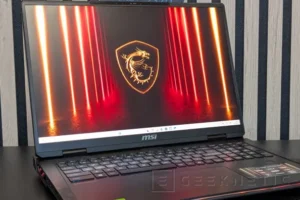
3. MSI Raider A18 HX A9WJG
Another of the most powerful gaming models also stands out in creation with the AMD Ryzen 9955HX3D and a lower price than expected.
| Component | Specification |
| Processor, RAM and Storage | AMD Ryzen 9 9955HX3D, 64 GB DDR5-5600 and 2 TB PCIe 5.0 SSD |
| Graphics Card | NVIDIA GeForce RTX 5090 without limitation (175 W) |
| Screen | 18″ Mini LED 4K (3,840 x 2,400) at 120 Hz |
| The Best | The Worst |
| Top-Tier Performance: Impressive gaming capability driven by the AMD Ryzen 9 9955HX3D processor. | Battery Life: Significantly short runtime on battery power. |
| Unthrottled Graphics: RTX 5090 operates at maximum power without limitations. | Portability: Substantial weight and bulky physical size. |
| Memory & Storage: 64 GB RAM paired with a fast 2 TB PCIe 5.0 SSD. | Software: Pre-installed, intrusive Norton bloatware. |
| Display Quality: High-resolution 4K Mini LED display. | Cost: High overall purchase price. |
| Value & I/O: Strong connectivity options and lower price compared to less powerful alternatives. |
The MSI Raider A18 HX A9WJG prioritizes maximum performance over weight and battery life. It’s a large and heavy laptop, measuring 3.2 cm thick and weighing 3.6 kg, which allows for a cooling system capable of pushing the hardware to its limits without compromising power. Proof of this is that the NVIDIA GeForce RTX 5090 operates here without any limitations at its maximum 175W, resulting in unparalleled rendering and export times.
Inside, it features the new AMD Ryzen 9 9955HX3D. While its large 3D cache is designed to provide an extra edge in gaming, it can also offer a significant advantage in certain professional editing and design tasks. Its 16 Zen 5 cores and 32 high-performance threads also shine on their own. It’s accompanied by 64 GB of DDR5 RAM and a 2 TB PCIe 5.0 SSD that exceeds 14 GB/s.
The screen is a massive 18-inch Mini LED panel with a 16:10 aspect ratio, 4K resolution, and a 120Hz refresh rate. Peak brightness in SDR reaches 450 nits, and color coverage is excellent, covering 100% of sRGB, nearly 100% of DCI-P3, and 87.9% of Adobe RGB. However, the factory calibration isn’t particularly good; the grayscale leans towards bluish tones, resulting in a Delta E deviation of more than 5 points. Therefore, it’s a panel with great potential for design, but it requires colorimetry testing to achieve its full potential.
The weakest point is undoubtedly the battery. In our tests, it only lasted 1 hour and 8 minutes, making it a laptop you’ll want to keep close to a power outlet and always carry its massive 400W power adapter with you.
Its price of 3,999 euros is high for the vast majority of mortals, but curiously it is considerably cheaper than other competing models that use inferior hardware, making it the most logical option if we are only looking for raw rendering power.
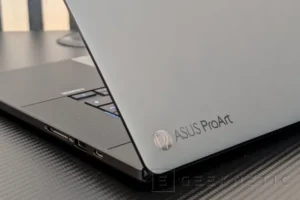
4. ASUS ProArt P16 OLED H7606WX
RTX 5090 and 120Hz 4K Tandem OLED touchscreen without sacrificing portability
| Category | Specification |
| Processor, RAM & Storage | AMD Ryzen AI 9 HX 370 • 64GB LPDDR5X-7500 • 2TB M.2 Gen4 SSD |
| Graphics Card | NVIDIA GeForce RTX 5090 Laptop GPU (130W TGP) |
| Display | 16″ Touchscreen Tandem OLED • 4K (3840 x 2400) • 120 Hz |
| The Best | The Worst |
| Vast improvement over the previous model | Price affordable for only a few |
| Impressive Tandem OLED 4K display, with 120 Hz and very high brightness | Only one USB4 port, and the SSDs are PCIe 4.0 x4 and x2 |
| Good CPU and GPU performance | The MuseTree AI image generation tool needs significant improvement |
| NPU with full support for Copilot+ with 50 TOPS | Slim form factor imposes aggressive power limitations on the CPU and GPU |
| 64 GB of RAM and 4 TB of NVMe storage | |
| Excellent build quality and materials |
The ASUS ProArt P16 OLED H7606WX is a model that, while maintaining a compact profile and weighing less than 2 kg, integrates high-performance hardware, with its NVIDIA GeForce RTX 5090 undoubtedly standing out. This “gaming” model, with the Creator drivers, can be transformed into one of the most powerful graphics accelerators available in the industry.
This GPU has a TGP limited to 130W, a significant reduction from the 175W of the unrestricted chip, but this is understandable if the goal is to integrate it into a system that doesn’t exceed its thickness and size. It’s paired with an AMD Ryzen AI 9 HX 370, a processor that isn’t the most powerful on the market, but it strikes a good balance by combining 12 cores (4 Zen 5 and 8 Zen 5c) with an NPU for local editing tasks and a Radeon 890M for when longer battery life is needed. It also comes with 64GB of RAM, which helps when editing large files.
Another of its main strengths is the Lumina Pro display, which has been upgraded to a 16-inch, 120Hz Tandem OLED touchscreen panel. In our lab tests, this 4K (3840 x 2400) screen delivered professional-quality results, covering 100% of the sRGB and DCI-P3 color spaces, and achieving an excellent 98.2% in Adobe RGB. Furthermore, it consistently reaches 521 nits of brightness in SDR mode, ensuring visibility in direct sunlight and making it a very capable model for HDR content editing as well.
Finally, connectivity and storage leave us with a bittersweet taste. Demanding an outlay of €5,299 and finding compromises such as the inclusion of only one USB4 port, or a dual SSD system anchored to the PCIe 4.0 interface (with the secondary drive limited to x2), are points to consider if we need to connect multiple devices at high speed or want to upgrade to another SSD.
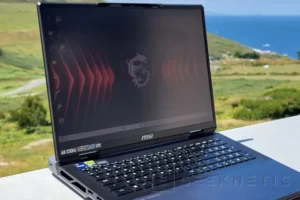
5. MSI Titan 18 HX A14VIG-079ES
128 GB of RAM accompanied by high-end hardware and a MiniLED screen
| Component | Specification |
| Processor, RAM, and Storage | Intel Core i9-14900HX, 128GB DDR5 |
| Graphics Card | NVIDIA GeForce RTX 4090 (175 W) |
| Screen | 18″ UHD+ ($3840 \times 2400$) Mini LED IPS, 120 Hz |
| The Best (Highlights & Pros) | The Worst (Drawbacks & Cons) |
| Superlative Performance: Top-tier performance across all aspects and components | Price: Extremely high cost puts it out of reach for most people |
| Display: 4K MiniLED display running at 120 Hz | Battery Life: Low autonomy limits untethered operation |
| Memory & Storage: 128 GB of RAM paired with a 4 TB RAID 0 array | Thermal Management: Thermal throttling penalizes processor performance |
| Brightness: Excellent screen brightness level | |
| Keyboard: Fast mechanical keyboard with excellent tactile feel | |
| Connectivity: Latest connectivity standards, including Wi-Fi 7 | |
| Form Factor: Highly portable design compared to equivalent desktop setups |
This beast from MSI integrates an Intel Core i9-14900HX, a model from a couple of generations ago, but still one of the most powerful processors available for rendering and demanding tasks. Furthermore, unlike current models that are limited to 64 GB, this variant comes with 128 GB of RAM.
The RTX 4090 remains a very capable graphics card for acceleration tasks, and the 4 TB PCIe 4.0 RAID exceeds 11 GB/s sequential speed. However, it’s a machine that generates a lot of heat and has very short battery life, making it more of a “portable” device than a truly usable laptop.
The MSI Titan 18 HX A14VIG-079ES is based on an 18-inch, 120Hz 4K MiniLED display, guaranteeing sharpness, fluidity, and brightness in both SDR and HDR. Furthermore, although it’s a couple of years old, it offers the latest connectivity with Thunderbolt 4.0 and Wi-Fi 7, and can now be found at somewhat more affordable prices than at launch.
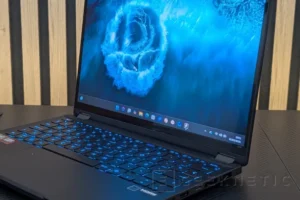
6. ASUS ProArt GoPro Edition PX13
128 GB of RAM in a device for creators who need maximum portability
| Component | Specification |
| Processor, RAM & Storage | AMD Ryzen AI MAX+ 395, 128 GB LPDDR5-8000 RAM, 2 TB SSD |
| Graphics Card | Integrated, AMD Radeon 8060S |
| Screen | 13.3″ OLED, touchscreen, 2880 x 1800 pixels, 60 Hz |
| Category | Highlights / Details |
| The Best (Pros) |
• Exceptional Performance: Powered by the AMD Ryzen AI MAX+ 395 CPU.
• Leading iGPU: The Radeon 8060S stands as the most powerful integrated GPU, outperforming several dedicated graphics models.
• Versatile Design: Features a compact, convertible, and highly powerful form factor.
• Display: High-resolution, touch-sensitive OLED screen.
• Connectivity & Accessories: Comprehensive connectivity options, including a bundled stylus with a dedicated charger.
• Efficiency: Strong battery autonomy paired with well-contained internal temperatures.
|
| The Worst (Cons) |
• High Cost: Comes with a very high price tag.
• Refresh Rate: Limited to only a 60 Hz display refresh rate in 2026.
|
The ASUS ProArt GoPro Edition PX13 is the result of a special collaboration with GoPro, offering a highly portable editing setup housed in a 17.7 mm-thick, 1.39 kg dark gray metal chassis. This convertible laptop features a 360-degree hinge, allowing you to use its 13.3-inch OLED display in tablet mode with the included ASUS Pen 3.0.
In terms of display, its 3K (2880 x 1800) widescreen 16:10 panel delivers by covering 100% of the DCI-P3 and sRGB color gamuts, and approaching 96% of Adobe RGB, also boasting Pantone validation to ensure more accurate color representation. However, in a device of this price and caliber, it’s surprising that it remains stuck at 60Hz.
Inside, we find the AMD Ryzen AI MAX+ 395, a processor configured with a maximum power consumption of 85W, supported by 128GB of LPDDR5X RAM at 8000MHz and a 2TB PCIe 4.0 SSD. The highlight of this hardware is the integrated Radeon 8060S. Its performance is so high that it matches or even surpasses dedicated graphics cards like the RTX 4060 or 5060. Thanks to this, the system can handle editing software and projects in 4K or 8K without requiring additional dedicated graphics chips.
Under continuous stress, the cooling system performs well, keeping the CPU at a manageable 78.2°C. However, to keep temperatures down in such a compact chassis, the fans generate a fairly high noise level. In terms of portability, the 73 Wh battery offers excellent figures, reaching nearly 9.5 hours in balanced mode.
It is a laptop with very capable hardware for professionals who need portability and to always carry their work equipment with them.
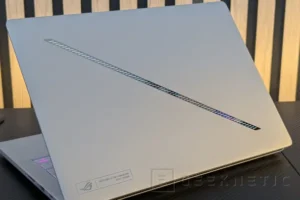
7. ASUS ROG Zephyrus G14 (2026) GU405
A high-performance model in a compact format
| Category | Details |
| Processor | Intel Core Ultra 9 386H |
| RAM | 64GB LPDDR5-8533 |
| Storage | 2TB NVMe PCIe 4 |
| Graphics Card | NVIDIA GeForce RTX 5070 Ti (130W) |
| Screen | 14″ OLED (2880 x 1800, 120 Hz) |
| Category | Details |
| The Best (Pros) |
• Display: 2.8K OLED display at 120 Hz with good color coverage
• Performance: Excellent performance in a very compact format
• Battery: Competent autonomy
• Connectivity: Excellent connectivity
• Build: Quality design and construction
|
| Worst (Cons) |
• Price: High price
• Keyboard: Only one RGB backlight zone
• Thermals & Noise: Quite noisy under load
• Software: Annoying McAfee bloatware
|
Although it belongs to ASUS’ gaming family, the ROG Zephyrus G14 (2026) GU405 is included in this guide for content creators because it’s one of the few laptops capable of offering this level of hardware in a compact 14-inch aluminum chassis. At 1.83 cm thick and weighing only 1.58 kg, it’s a very solid option for those who need a portable workstation; it also includes features more commonly found in editing equipment, such as a full-size UHS-II SD card reader and Thunderbolt 4.
The screen is a 14-inch OLED panel with a 16:10 aspect ratio, 3K resolution, and a 120Hz refresh rate. Its peak brightness in SDR reaches 407 nits, and its color coverage is very good, covering 100% of sRGB and DCI-P3, and approaching 98.5% in Adobe RGB. However, its factory calibration isn’t particularly good; it’s a perfectly suitable panel for design work, but it requires a colorimeter reading immediately after turning it on to avoid working with inaccurate colors.
Inside, it features an Intel Core Ultra 9 386H processor accompanied by an excellent 64 GB of soldered LPDDR5X RAM, a rare figure to see in a 14-inch laptop, but vital for editing and creation, along with an NVIDIA GeForce RTX 5070 Ti graphics card.
In terms of battery life, the 73 Wh battery lasts for about 5 hours in balanced mode, a respectable figure for a laptop with this dedicated graphics card. This is a laptop well worth considering if you need to carry the power of an RTX 5070 Ti in your backpack every day.
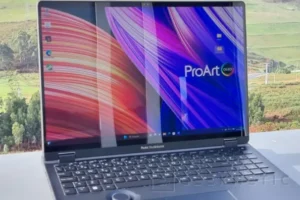
8. ASUS ProArt Studiobook Pro 16
Professional-grade NVIDIA RTX 3000 Ada GPU for optimal compatibility with specific software
| Specification | Details |
| Processor, RAM and Storage | Intel Core i9-13980HX, 32GB DDR5, 1TB NVMe PCIe 4. |
| Graphics Card | NVIDIA RTX 3000 Ada |
| Screen | 16″ OLED 3,200 x 2,000 pixels at 120 Hz |
| Category | Details |
| The Best |
* Excellent screen color coverage
* Very good quality OLED panel (3200 × 2000, 120 Hz)
* ASUS Dial integrates well with extensive custom configurations
* Very good performance in design and creation environments
* Haptic trackpad with excellent response
* Latest connectivity (TB4, Wi-Fi 6E, 2.5 GbE)
* Contained noise levels
|
| The Worst |
* Modest battery autonomy
* High CPU temperatures (Thermal Throttling)
|
The ASUS ProArt Studiobook Pro 16 is a model that’s been around for a while, but it still has highly valued capabilities in certain editing and creation tasks.
Its Core i9-13980HX continues to be a strong contender among the most powerful processors, and in this system it’s paired with an NVIDIA RTX 3000 Ada. Based on the Ada Lovelace architecture for the professional market and configured with a TDP of 130W, this card is specifically designed to accelerate workloads in 3D modeling, CAD, and video export.
In our tests, it demonstrates excellent performance in these specific programs, positioning itself as a superior option that outperforms “gaming” GPUs. Furthermore, the cooling system effectively maintains the GPU at a safe 80°C under stress, without the fans generating an annoying noise level.
It includes a haptic feedback trackpad, an SD Express card reader, and the ASUS Dial, a physical wheel that integrates natively with design software for use with various editing programs. As for the screen, it features a 16-inch, 120Hz OLED touchscreen in a 16:10 aspect ratio. While the hardware is excellent and covers sRGB, DCI-P3, and Adobe RGB color spaces, it has a significant drawback: its factory calibration yields a Delta E of 4.90, requiring a colorimeter. A RAM upgrade would also be beneficial for memory-intensive tasks.
9. ASUS ProArt P16 H7606WP
Compact and portable design with a good balance of features
| Component | Specifications |
| Processor | AMD Ryzen AI 9 HX 370 |
| RAM | 64GB LPDDR5X-8000 |
| Storage | 2TB M.2 NVMe PCIe Gen4 SSD |
| Graphics Card | NVIDIA GeForce RTX 5070 Laptop GPU (105W TGP) |
| Screen | 16″ 4K OLED Touchscreen (60Hz) |
-
Category Feature / Characteristic The Best • Excellent 4K OLED touchscreen• Powerful NPU, and the RTX 5070 expands AI capabilities• Good performance in a slim and lightweight format• Considerable autonomy• Good connectivityThe Worst • High price• The AI-powered image generation tool MuseTree has fallen behind• 60 Hz is becoming scarce
The ASUS ProArt P16 H7606WP earns a spot on this list geared towards creators because it caters to a very specific professional use case where more powerful machines fall short. Not all video editors can or want to carry a 3.6 kg machine and its corresponding power adapter in their backpack. This model manages to integrate 64 GB of LPDDR5x RAM and a dedicated graphics card like the RTX 5070 into a metal chassis that’s just 17.3 mm thick and weighs only 1.85 kg.
One of the greatest strengths in this compact space is the integration of the touch DialPad into a generously sized trackpad. Natively mapped for editing software, it allows you to navigate the timeline or physically adjust the size of brushes and other tools, saving time without needing to connect external peripherals.
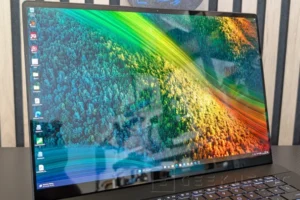
Opening the lid reveals a 16-inch OLED panel with touch support, a 16:10 aspect ratio, and 4K resolution (3840 x 2400 pixels), although its 60Hz refresh rate limitation is somewhat puzzling these days. The screen has demonstrated 100% coverage of DCI-P3 and sRGB, and 99.3% of Adobe RGB. It’s a panel that perfectly meets the needs of professional designers.
Inside, the 12-core AMD Ryzen AI 9 HX 370 with integrated NPU and GPU works alongside an 8GB NVIDIA GeForce RTX 5070, limited to a 105W TGP. That 105W is enough to enable hardware acceleration in design environments and provide a significant performance boost.
In short, it makes the list because it is a very well-balanced and portable model.
10. ASUS Zenbook A16 UX3607
Excellent battery performance in a thin and light device with the Snapdragon X2 Elite Extreme
| Specification Category | Details |
| Processor | Snapdragon X2 Elite Extreme (X2E-94-100) |
| RAM | 48 GB |
| Storage | 1 TB SSD |
| Graphics Card | Adreno X2-90 |
| Screen | 16″ OLED, $2880 \times 1800$ pixels, 120 Hz |
| The Best (Pros) | The Worst (Cons) |
| Design & Build Quality: Excellent overall design and build; thin and light chassis. | Pricing: High price point. |
| Performance Jump: Snapdragon X2 Elite Extreme delivers an impressive leap in CPU, GPU, and NPU performance. | Acoustics: May emit electrical noise (coil whine) under heavy loads. |
| Battery Autonomy: Excellent overall autonomy; maintains virtually the same performance when running in battery mode. | Value Addition: Copilot+ is still not a relevant differentiator. |
| Display Quality: Good quality OLED screen. | ARM Software Limits: Compatibility issues remain with certain drivers and games. |
| Modern Connectivity: Features WiFi 7 and 40 Gbps USB4 connectivity. | Power Draw: The Snapdragon X2 Elite X2E-94-100 variant has high power consumption, negatively impacting battery life. |
This laptop is for those seeking maximum portability and CPU performance. The Snapdragon X2 Elite Extreme has proven to be one of the top contenders in the laptop performance battle, offering good battery life and a thin, light design.
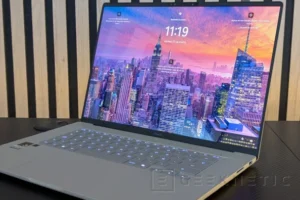
The ASUS Zenbook A16 UX3607 stands out for integrating one of the new Snapdragon X2 Elite Extreme processors into a very slim design, measuring just 1.65 cm thick. It uses ASUS’s signature “Ceraluminum” material, an alloy that provides a premium finish and keeps the weight down to only 1.20 kg. Opening the laptop reveals a 16-inch OLED panel with 3K resolution and a 120Hz refresh rate. In our lab, color coverage is excellent, achieving 100% in sRGB and DCI-P3, with 89.3% Adobe RGB. However, the maximum brightness is around 289 nits in SDR, and its glossy finish can produce reflections in well-lit environments.
Inside, the Snapdragon X2 Elite Extreme X2E-94-100 delivers impressive performance. Its 18 cores put it on par with the most powerful Intel and AMD processors in multi-core tests, and in single-core tests, it ranks among the fastest on the market. It’s paired with 48 GB of RAM and 1 TB of PCIe 4.0 storage. The Adreno X2-90 GPU also represents a spectacular performance leap compared to the previous generation. Furthermore, its 80 TOPS Hexagon NPU is the most powerful on the market for local AI tasks, something to consider when using software like DaVinci Resolve, which supports NPU acceleration in features such as “Magic Mask.”
Indeed, we’re still talking about an integrated GPU, and for those looking for high-performance graphics acceleration, it might fall short, but those who need portability and CPU power will find a very capable device. Furthermore, an interesting point is that its performance remains very similar even in battery mode.
However, it should be noted that the ARM architecture still has compatibility issues with certain programs and games, and we could encounter problems with some specific design and editing programs, or even specific peripherals.
Choosing the right laptop for content creation to suit your needs
We’ve reviewed the 10 Best Laptops for Creators that have passed through our lab, each with its own particular specifications, but with a clear focus on productivity, performance, and professional or enthusiast design.
We’ve reviewed everything from the largest and most powerful models with hardware that has no power consumption limitations, to ultralight forms that impose greater energy restrictions to keep temperatures under control in slim chassis. All of them represent our selection of the best we can currently find on the market, based on our empirical testing.
Each user will have to decide which model fits their needs and the software they need to run, but when looking for a work tool like this, special attention must be paid to several key elements:
The core of the system: Processor and RAM
The processor is one of the key elements. Nowadays, for normal use, any low-power model will do the trick, but for computers designed for heavy-duty tasks, it’s best to choose high-performance processors.
It’s important to keep in mind that a laptop used for content creation, such as photo editing, is not the same as one used for advanced CAD design or 3D rendering. In the first case, low-power processors will allow for greater battery life and a lighter weight, capable of handling software like Photoshop or GIMP without problems, while in the second case, we’ll need the most powerful models from Intel, AMD, or Qualcomm, where power consumption becomes less of a concern.
RAM is indeed key in virtually all uses of content creation and editing. Even in photo editing, if we’re working with high-resolution RAW images, we’ll need a significant amount of memory. And that goes without saying in cases of local AI, 3D rendering, or handling 4K or 8K video.
32 GB would, in principle, be a balanced figure for many cases, but in the most demanding environments, we will have to go to 64 GB or even higher figures.
The graphics card is key.
Indeed, today’s integrated graphics cards are light-years ahead of what these modest solutions offered in the past. Nowadays, models like the Radeon 8060S in the AMD Ryzen AI Max+ 395, the Adreno in the Snapdragon X2 Elite, or the Intel Arc B390 in the Core Ultra X300 can meet the needs of many multimedia creators.
However, if we move to more demanding uses with advanced GPU rendering, AI acceleration (here NPUs can help for light, low-power tasks, but the GPU will always be much more capable), or real-time 3D previewing with ray tracing, for example, we will need a powerful GPU.
There are dedicated graphics cards specifically for the professional market, as we have already seen in some models, but RTX “gaming” models also have access to the creator drivers and are a solution with greater availability and range.
Resolution, frequency, and color on the screen
Power is useless if the final result doesn’t accurately represent the colors. The screen is one of the most important components.
It indeed depends on the type of content and work being done. For simple multimedia editing for social media or streaming, screens with 100% sRGB coverage are sufficient and are cheaper and more affordable than models with 100% DCI-P3 and Adobe RGB coverage.
If our creations require maximum color fidelity, or are going to be printed on posters, murals, and other “real world” elements, or displayed in specific environments, then it will be necessary to look for models with greater coverage.
Screen calibration is also key. While some models come pre-calibrated for different color spaces and content, in our experience, the quality of screen calibration on many laptops varies considerably.
Our recommendation? Invest in a dedicated colorimeter so you can perform your own calibrations. That way, you can be sure the screen displays colors exactly as you want.
As for panel technologies, OLED is currently king. These panels typically offer very wide coverage, excellent contrast, and high resolutions with high refresh rates. Peak brightness levels are constantly increasing, but if you’re looking for the highest possible brightness while maintaining local dimming, then Mini LED models are the best choice.
Storage and connectivity
Again, it depends on the type of project we’re going to work on, but a minimum of 2 TB of storage would be a good starting point.
Mechanical HDDs are practically obsolete; the key is to have a high-performance SSD, whether PCIe 4.0 or even PCIe 5.0 if very fast transfers are needed. Ideally, an extra M.2 port would be beneficial for expanding storage capacity.
Connectivity also comes into play here. In demanding video editing projects, for example, having a USB4 or Thunderbolt 4 port with 40 Gbps will allow you to use external drives at speeds comparable to internal SSDs. Even Thunderbolt 5 is becoming more common, offering even higher transfer rates.
Some models offer SD card readers, which are especially useful when working with cameras, while network connectivity can also be crucial when working with shared network resources like NAS devices. In these cases, having tri-band WiFi 6E or WiFi 7, or at least 2.5 GbE Ethernet (along with an infrastructure that supports these standards), will significantly improve data transfer speeds.
Related story
Best ASUS Notebooks and Value for Money in 2026
Best All-in-One Computers and Value for Money in 2026
Best HP Notebooks and Value for Money in 2026
Best Motherboards and Value for Money in 2026
Best Value DDR4 RAM Memory in 2026
About the Author