
In this guide, you will understand everything about computers: how they work, the main types, what each component does, and how to choose the right model for your needs.
Types of computers
There is a variety of computers on the market, from the most powerful to the most compact. Let’s explore the main types:
- Supercomputers: These are the most powerful and fastest computers in the world. Designed for intensive calculations, they are used in scientific research, weather forecasting, and complex data modeling.
- Servers: dedicated to providing services to other computers on a network, they are behind websites, clouds, databases, and corporate networks. There are several types: dedicated, shared, or cloud servers, each ideal for different IT structures.
- (Desktops)They are versatile and easy to customize. They can be used in both home and professional environments. There are models designed for simple tasks, work, or even gaming PCs with high-performance graphics.
- Laptops: lightweight, portable, and powerful enough for everyday tasks, studies, or work on the go, they are a good choice for those who need mobility without sacrificing performance.
- All-in-One: These integrate a monitor, CPU, and speakers into a single device. Ideal for those who want to save space and avoid cluttered cables. They are common in offices and home environments, focusing on practicality and design.
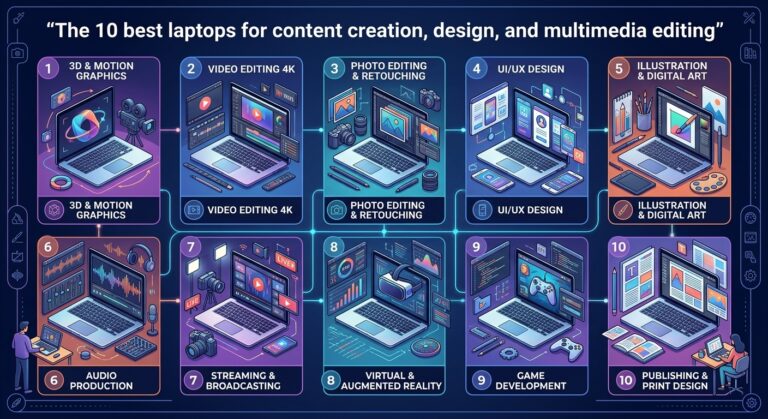
- Workstations: high-performance computers used for graphic design, 3D modeling, engineering, and data science. They support large volumes of information and technical tasks that demand more from the machine.
Main computer components and what they are used for.
Understanding the components that make up a computer
This helps you choose a model that truly meets your needs. Below, we explain the main components, the most common options, and how each one affects day-to-day performance.
Processor (CPU)
It is the component that performs all the tasks of the computer
The more powerful the processor, the faster and smoother the system will be.
Main product lines and who they are for:
- Intel Core i3 / Ryzen 3: ideal for basic tasks such as browsing the internet, studying, or working with texts.
- Intel Core i5 / Ryzen 5: They balance good performance and price, making them great for those who work with spreadsheets, make video calls, or edit photos.
- Intel Core i7 / Ryzen 7 and i9 / Ryzen 9: suitable for demanding tasks such as video editing, 3D rendering, and more challenging games.
RAM Memory
RAM temporarily stores data used by open programs. It allows you to switch between windows and perform simultaneous tasks without freezing.
Common capabilities and uses:
- 4 GB: sufficient only for light browsing, text editors, and basic tasks.
- 8 GB: good for those who use multiple programs simultaneously, watch videos, work with documents, and multitask without freezing.
- 16 GB or more: recommended for people who use demanding programs (video editing, games, engineering, or design software).
Storage (HDD, SSD, or hybrid)
This is where your files, system, and programs are saved.
Types and practical differences:
- Hard drive (HD): offers plenty of storage space at a more affordable price, but is slower, as the computer takes longer to boot up and open files.
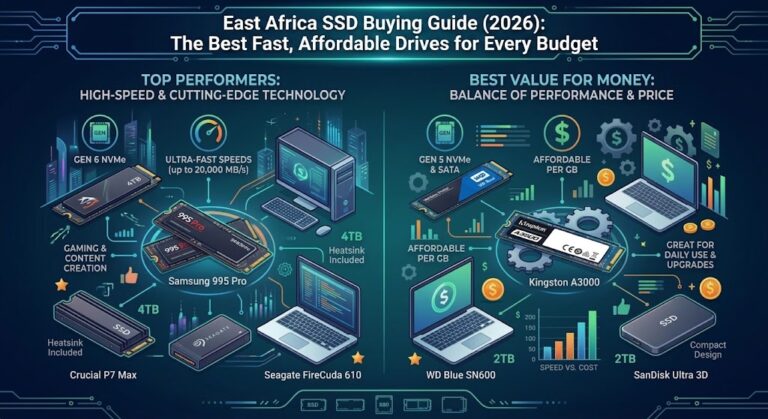
- SSD (solid-state drive): much faster, reduces boot time, and improves overall performance, even with demanding programs.
- Hybrid (SSHD) combines the two, using the SSD to boot the system and the HDD to store large files.
Ideal skills for different profiles:
- 240 to 512 GB SSD: ideal for those who want speed and don’t store many local files.
- A 1 TB or larger hard drive: ideal for those who store many photos, videos, and programs.
- SSD + HDD: the perfect combination of speed and storage space.
Motherboard
It is the component that connects all the other parts and allows them to communicate with each other. It also defines the limits of the computer’s expansion.
What to look out for:
- Processor compatibility (Intel or AMD).
- Number of ports for RAM, USB, HDMI, and SSDs: the more connections, the greater the possibility of future upgrades.
- Size: Smaller boards take up less space, but may limit expansion options.
Graphics card (GPU)
She handles the visual aspects: from displaying videos to processing graphics in games and demanding software.
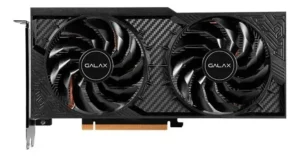
Galax Nvidia graphics card
Types and applications:
- Integrated (comes with the CPU): adequately serves those who use the computer for common tasks, such as watching videos or using social media.
- Dedicated (separate graphics card): essential for gamers, those who edit high-resolution videos, or those who work with 3D design and modeling.
Power supply
The power supply distributes energy to all components. Using a poor-quality power supply can cause crashes or even burn out parts of the computer.
What to consider:
- Power (W): A basic computer works well with a 400 to 500W power supply. Gaming PCs or PCs with many components need 600W or more.
- 80 Plus certification: demonstrates that the power supply is efficient and consumes less energy.
Office
It’s the physical structure that houses all the components. It goes beyond the visual aspect: it influences ventilation, cable management, and ease of maintenance.
Common types and indications:
- Mini Tower: compact, ideal for offices or small spaces.
- Mid Tower: the most commonly used; it can easily accommodate graphics cards and extra components.
- Full Tower: larger and more spacious; ideal for those planning upgrades, using larger cooling systems, or high-performance components.
PC accessories: comfort, connectivity, and performance
The right accessories make all the difference in the computer user experience. They can improve productivity, increase comfort, optimize tasks, or even transform the computer.
PRAÇA is an entertainment center.
Next, check out the main categories of accessories that help you customize your setup according to your needs.
- Keyboards: there are various models, from the simplest to the ergonomic and mechanical ones. They cater to different profiles, such as those who need to type for hours or those seeking speed in games.
- Mice: range from simple models for basic navigation to options with more precision and comfort, ideal for those who work all day or play games frequently.
- Monitors: They range from simple models, used for browsing and daily tasks, to high-resolution ones (such as 4K or ultra-wide), suitable for those who work with images or seek greater visual immersion.
- Audio (headphones and speakers): items such as noise-canceling headphones and powerful speakers enhance the user experience, whether for online meetings, watching movies, or listening to high-quality music.
- Webcams: essential for video conferencing, especially in remote work environments. Models with good resolution, built-in microphone, and autofocus deliver a more professional image.
- Printers and scanners: they remain useful at home or in the office. Whether for printing documents, scanning files, or making copies, there are compact and multifunctional models for every need.
- External storage: Portable HDDs and SSDs help to store large files, transport data, or practically maintain secure backups.
- Laptop stands: improve ergonomics by raising the screen, and also help with ventilation of the equipment during prolonged use.
- Uninterruptible power supplies (UPS): protect against power outages and provide more time to save files and safely shut down the computer.
- Adapters and hubs: expand connectivity options, especially on more compact laptops with few ports. They allow you to easily connect multiple devices at the same time.
What’s the best PC brand to buy?
The Brazilian market boasts a diverse range of brands catering to everyone from home users to demanding professionals . Below, we’ve compiled a list of the main manufacturers, organized by the type of computer they offer.
Brands that offer laptops for general use.
These brands are ideal for those looking for laptops for studying, working, or performing everyday tasks, focusing on practicality, value for money, and balanced performance.
- HP offers a wide range of notebooks for different profiles, emphasizing reliability and a variety of models.
- Lenovo : known for its versatile models, such as the IdeaPad lineand ThinkPad (aimed at professional use).
- Acer: focuses on affordable and efficient notebooks, with options for both personal and corporate use.
- Multilaser : a Brazilian brand that offers notebooks at more affordable prices, geared towards basic use.
- Positivo : another national brand focused on entry-level models, ideal for simple tasks such as browsing and word processing.
Brands focused on high performance and gaming PCs
These brands stand out for delivering powerful graphics, speed, and advanced features, ideal for those who play games or work with demanding software.
- Avell: specializing in high-performance notebooks for gamers and creative professionals.
- ASUS : known for its ROG (Republic of Gamers) line and for notebooks and desktops focused on performance.
- Dell offers robust options such as the Alienware (gaming) and XPS (high-performance professional) lines.
- Pichau : a national leader in pre-built PCs and components, very popular among those who build their own gaming setups.
- Acer also offers gaming lines like Predator, aimed at demanding games.
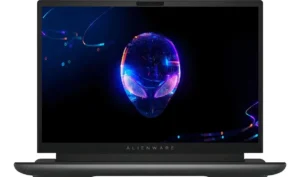
Dell Alienware 13900hx Notebook
Brands with solutions for businesses and corporate use.
Designed for businesses and professional environments, these brands offer more robust, reliable machines focused on productivity .
- Dell Strong presence in the corporate segment, with desktops, notebooks, and servers.
- HP offers enterprise models, servers, and IT solutions.
- Lenovo: highlighting the ThinkPad line, designed for professional use with a focus on durability and security.
Brands with their own ecosystem and a focus on design.
These brands differentiate themselves through sophisticated design, device integration, and proprietary systems.
- Apple: known for its MacBook, iMac, and Mac Mini models. Its products stand out for their premium design, macOS operating system, and integration with other Apple devices.
What are the most modern features of today’s computers?
With the constant advancement of technology, computers are becoming faster, smarter, and more efficient. Below, see some of the main technologies present in current PCs and the practical benefits they bring.
- Multi-core processors: make the PC more efficient for multitasking. With multiple cores working simultaneously, the computer can run more than one program with less lag.
- High-frequency RAM (DDR4 and DDR5): improves response speed when switching between windows or processing heavy data, such as in video editing, gaming, or complex spreadsheets.
- Dedicated graphics cards with Ray Tracing: essential for games and graphics software, these cards offer more realistic images with more precise lighting and shadow effects.
- Optimized cooling systems: new models come with quieter and more efficient cooling solutions that prevent overheating even during heavy use.
- Facial recognition and biometrics: offer greater security and convenience for unlocking your computer, replacing passwords with fingerprint or facial identification.
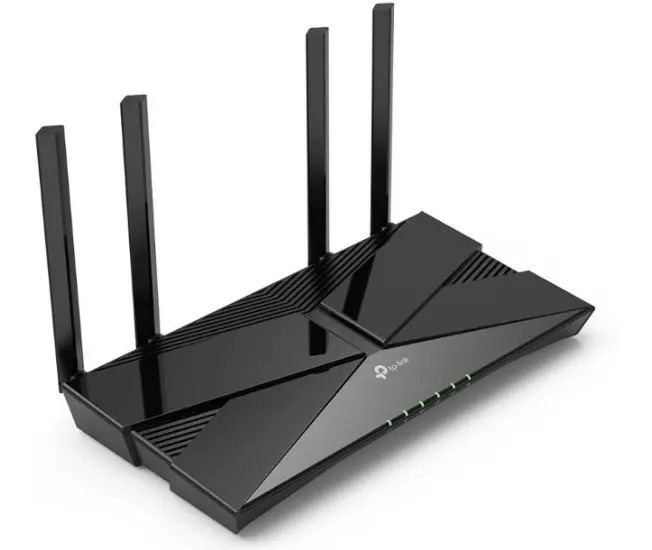
- Advanced connectivity (Wi-Fi 6 and Bluetooth 5.2): for faster, more stable connections with lower power consumption, ideal for those who use many wireless devices.
- Integration with artificial intelligence (AI): already present in operating systems and software, AI enables automation, intelligent suggestions, and personalized adjustments based on usage.
Now that you know everything about computers…
By getting this far, you already have a complete overview of the world of computers, from the most common types and brands to the components and technologies that make a difference in everyday life. Whether for studying, working, gaming, or simply browsing more smoothly, understanding how a computer works helps you make more informed choices aligned with what you really need.
Take the opportunity to explore other content on our blog and check out the best computer models, accessories, and components available. There’s always an ideal option waiting for you.
About the Author