Introduction
The internet is teeming with articles on how to choose the right AI accelerator, and this is hardly surprising – the entire AI industry has shifted its focus to GPUs, NPUs, TPUs, and all other PUs that efficiently compute vectors and matrices to process weights and LLM activations. CPUs no longer fit into this paradigm; they’ve come to be seen as an element not directly needed for AI, but essential – simply a host that supplies power, routes PCIe lanes, and doesn’t interfere with neural network operation. However, the days when the CPU merely served as a root complex for connecting accelerators are rapidly disappearing. With the advent of agent-based AI, multi-agent systems, and workloads requiring tight interaction between models and the outside world, the processor has once again become a critical link, capable of running entire swarms of AI agents, squeezing the maximum out of an AI server, or even running local inference alone. In this article, ServerFlow specialists will explain why the processor has become necessary for AI again, what characteristics the best CPUs for artificial intelligence have, which class of processors has emerged in the era of agents, and what challenges you might encounter.
Why the CPU is needed for AI again
Just two years ago, the dominant workload was classic LLMs, which operated on the “receive a prompt and generate a response” principle. In such scenarios, all the CPU had to do was load the model into GPU memory, generate PCIe lanes, and handle I/O. Cores were idle, frequency wasn’t critical, and even a modest Xeon Gold with a couple dozen cores could handle such tasks without issue. Modern agent systems are designed differently. An agent doesn’t simply generate text; it executes code, makes requests to external APIs, surfs the web, processes the results, and feeds them back into the model context. All this orchestration falls to the CPU, and the latency of a single agent cycle directly impacts the responsiveness of the system as a whole. If you have an Instinct MI350P -class accelerator installed, but a CPU with low single-thread performance under the hood, every Python function call or database access will be slow, and the expensive GPU will be held hostage by the sluggish host. Because of this, the CPU in the AI server ceased to be a root complex and became a full-fledged agent logic execution engine.
An AI inference server based on the AMD EPYC CPU.
Specifications of the best processor for AI
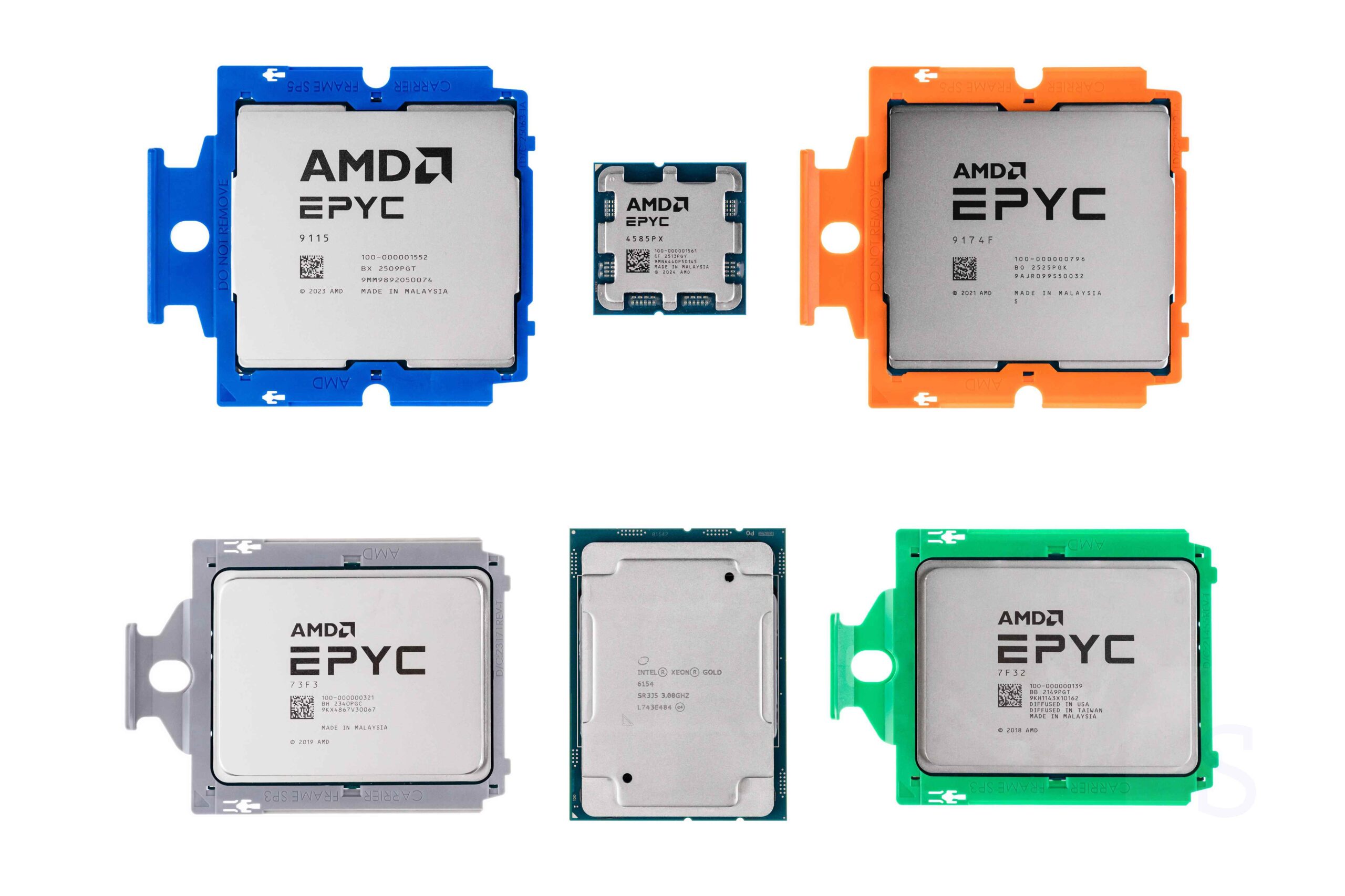
Trying to find the perfect processor with the perfect balance of cores, threads, clock speed, PCIe lanes, and so on is a hopeless endeavor. In fact, the best CPU for AI is literally the perfect all-around processor. Neither a bias toward many slow cores nor relying solely on high clock speeds with a small core count will work. The ideal CPU for AI is a robust, all-round server CPU that’s equally adept at both parallel processing and single-threaded sprints, like the AMD EPYC 9005F: around 64 cores with a stratospheric clock speed of over 5 GHz—that’s the right balance. Now let’s break down the specific parameters that make a processor suitable for AI workloads.
Number of cores
For modern agent systems, the number of cores determines how many parallel tasks a server can handle. Each AI agent spawns dozens of processes: executing generated code, making HTTP requests, processing JSON, and interacting with databases. If there aren’t enough cores, agents queue up, and overall throughput drops. On the other hand, chasing extreme 128-core behemoths without regard for clock speed is a surefire way to end up with a sluggish single-thread. The optimal balance lies in the range of 48-64 high-performance cores: this is enough to handle dozens of agents and associated services without losing responsiveness.
Clock frequency
Agent logic written in Python or JavaScript is critical to single-threaded performance. Every function call, data serialization, or HTTP processing is an operation that is practically non-parallel. A processor with a ton of cores but a low frequency will stutter on such tasks, creating micro-latencies. This is why the best CPUs for AI are considered to be those with the highest frequency in their class. Series like the EPYC 9005F (prefixed with Frequency Optimized) are designed specifically for these scenarios: many cores and high frequency simultaneously.
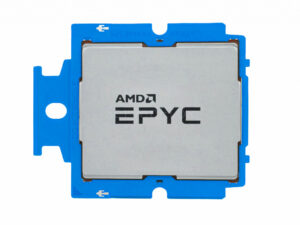
The 64-core AMD EPYC 9575F CPU with a clock speed of up to 5 GHz is an excellent solution for building an AI server.
Number of PCIe lanes
This is the first hardware filter. Every modern GPU requires at least 8 PCIe lanes (preferably 16) to avoid becoming a bottleneck. If you plan to connect four or eight accelerators, the total requirement easily exceeds 100 lanes. Desktop platforms with their 20-28 lanes are out of the question—you simply won’t be able to connect more than two cards. Server processors offer 80 to 128 or more lanes per socket, allowing you to directly connect up to 8 GPUs without intermediate switches. The PCIe generation is also important: for high-speed accelerators like the B200 or MI350P, the bus mustn’t become a bottleneck.
Memory subsystem
Memory bandwidth is the CPU’s Achilles heel compared to GPUs. Even high-end server processors with 12 DDR5 channels deliver around 460–500 GB/s, while accelerators handle terabytes. However, for agent-based workloads, RAG systems, and large contexts, it’s crucial that the CPU can quickly deliver data to agents. The key here is to activate all available memory channels and install the maximum number of modules. Dual-processor platforms with fully activated channels can deliver a total bandwidth of up to 800–1000 GB/s, which somewhat narrows the gap.
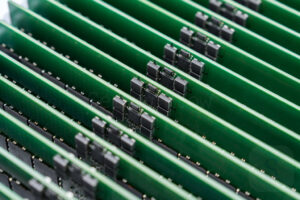
In AI servers, a large amount of fast RAM is essential for agent-based AI.
Supported instructions
Support for vector extensions is critical for AI workloads. AVX-512, present in modern Xeon and EPYC processors, delivers a dramatic increase in matrix operations—exactly what’s needed for CPU inference or embedding processing. A processor without AVX-512 simply won’t be able to compete effectively even in niche tasks. Furthermore, the newer the architecture, the higher the IPC and the more effective the branch predictors—all of which directly accelerate the interpreted code typical of AI pipelines.
The problem of dual-socket AI servers
If you look at Supermicro’s top-end HGX servers or reference DGX systems, you’ll see that they all have two sockets. This configuration provides more cores, more memory channels, and twice the PCIe lanes, but those in the know will immediately start to wonder: what about NUMA latencies?
A high-speed interconnect bus operates between the processors: UPI for Intel Xeon and Infinity Fabric for AMD EPYC. Both processors act as PCIe roots, and when the accelerator is connected to one CPU and the data resides in the memory of another, data transfers via the interconnect bus are necessary. In agent-based scenarios, where the model constantly shuttles data back and forth, these delays can become noticeable and degrade performance. This issue is no less acute in regular AI scenarios, especially when the server is crammed full of GPUs connected to two processors.
The solution is either careful NUMA mapping of processes and memory pools to the processor to which the GPU is physically connected, or the use of PCIe switches. Switches allow for a topology where accelerators share a single address space without interprocessor bus transitions. However, this adds cost and complexity to the architecture. Therefore, the choice between a single- and dual-processor platform should be driven by the actual need for PCIe lanes, not simply the desire to “install two sockets.” So, if you’re planning a high-end dual-socket GPU build for AI workloads, be sure to consider the presence of a switch, or buy single-socket options and avoid the hassle.
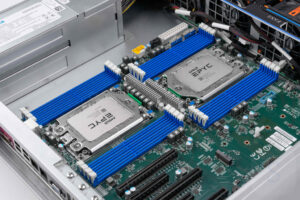
A dual-socket AMD EPYC server for AI is a possible, but not ideal, scenario.
Intel vs. AMD: Which Processors Are Better for AI?
The server landscape for the second half of the 2020s looks like this: AMD confidently dominates the AI segment in terms of performance and power efficiency. The EPYC 9005 series, with its high core count, high frequency, and efficient Infinity Fabric, has become the default choice for those building AI servers. Intel’s Xeon 6 (Granite Rapids) is lagging: it consumes more power, and its confusing naming system doesn’t add clarity. Although Xeon 6+ is on the way, EPYC is currently perceived as the definitive choice for AI.
However, Intel still has a trump card: the number of PCIe lanes. Intel has more lanes, and they are directly accessible to connected devices via UPI. AMD devotes literally half of its lanes to the Infinity Fabric interchip interconnect, meaning they can’t be easily aggregated. This is precisely why systems like the DGX B200 use Xeon processors: they allow for a massive number of lanes (200+) without wasting half on internal processes. Furthermore, NVIDIA doesn’t want to feed its competitor—why use AMD processors when it produces its own Instinct accelerators? Ultimately, if you want maximum GPU density per socket and a record number of PCIe lanes, Intel still holds its own. But for most private AI servers, EPYC is preferable: it has a higher frequency, better interprocessor communication, and lower power consumption.
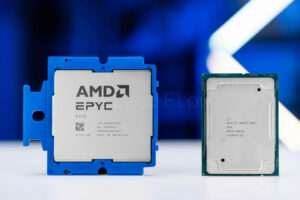
Choosing between AMD EPYC and Intel Xeon for an AI server is a question of which CPU capabilities you prefer.
ARM processors for artificial intelligence
A new class of central processing units (CPUs) tailored for agent-based workloads has emerged in the cloud industry, and almost all of them are based on the ARM architecture. The choice of ARM is driven not only by energy efficiency but also by architectural flexibility: the licensing model allows for the creation of custom cores, and tight integration with GPUs via unified memory dramatically reduces latency when transferring data between the agent and the model. Such deep memory coherence is still more difficult to achieve on x86, and the per-core thermal design power of traditional x86 server processors is higher, limiting deployment density. This is why hyperscalers and AI factory developers are increasingly ordering specialized ARM processors rather than relying on general-purpose x86 solutions.
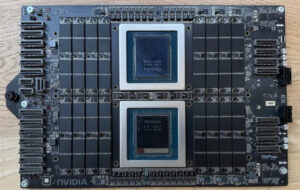
- NVIDIA Grace — 72 Arm Neoverse V2 (ARMv9) cores, frequency up to 3.0 GHz, 4 nm process technology, unified LPDDR5X memory with 500 GB/s bandwidth, direct connection to the GPU via NVLink-C2C. Used in the Grace Hopper and Grace Blackwell superchips, where the CPU and GPU share a single memory pool without copying memory over PCIe.
- NVIDIA Vera features 144 Arm Neoverse V3 (ARMv9) cores, clock speeds up to 3.6 GHz, a 3 nm process technology, unified LPDDR6 memory with 800 GB/s of bandwidth, and a direct connection to the GPU via NVLink-C2C. It is used in Vera Rubin superchips, where the CPU and GPU share a single memory pool without copying memory over PCIe.
- AWS Graviton 5 — 192 Neoverse V3 cores, frequency up to 3.0 GHz, 3 nm process technology, 12 DDR5 channels, peak throughput of 650 GB/s. The flagship processor for Amazon cloud instances, actively used for inference and lightweight agent-based workloads.
- Microsoft Azure Cobalt 200 — 132 Neoverse V3 cores, up to 3.2 GHz, 3 nm process technology, 8 DDR5 channels. Designed specifically for Azure cloud services, including AI workloads such as inference and agent orchestration.
- ARM AGI — 136 Neoverse V3 cores with integrated tensor accelerators, frequency up to 3.7 GHz, 3 nm process technology, unified memory with 1 TB/s bandwidth. Designed for the most demanding agent-based scenarios and workloads approaching AGI, with minimal latency and maximum compute density.
AI inference on CPU
There’s a segment of users who still infer models directly on the CPU. This idea is largely doomed to failure today—given the reality of the DDR RAM shortage, it would literally bankrupt you. However, some tasks can be offloaded to the CPU, such as RAG pipelines or lightweight models, where inference is part of the overall pipeline. For this scenario, you need to concentrate maximum computing power on the CPU: as many cores as possible, and frequency doesn’t have as significant an impact, provided you activate all channels. For good inference, the processor must support AVX instructions, and memory channels should be as numerous as possible. While a graphics card has fast memory, a processor doesn’t—this is its weakest point. It’s even possible to infer on two processors simultaneously, but this is far from the most common task. In short, if you’re a knowledgeable enthusiast and understand how to properly organize AI workloads on a server, it’s best to put the idea of CPU inference on hold, at least until RAM prices return to normal.
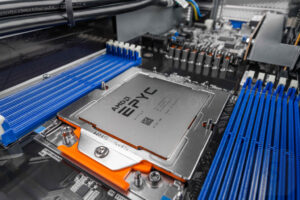
For AI inference on the CPU, it is important to choose chips with the highest number of cores, such as the AMD EPYC 9004 or EPYC 9005.
Conclusions
People from different IT fields define the ideal AI processor differently. Some build AI PCs and infer small models locally, others build servers that rely on PCIe links and eight AI accelerators, and still others deploy agent platforms where the CPU must churn out code 24/7. But if we summarize all this fuss, the conclusion is clear: the best AI processor today is the best general-purpose server processor, with an emphasis on high clock speeds, a sufficient number of cores, and a large number of PCIe lanes. And never underestimate the importance of processors in an AI server: without the right CPU, even the most powerful accelerator will bog down a slow host like a sports car in traffic. And if you’re unsure about choosing the right CPU, just contact ServerFlow. We’ll help you build a well-balanced AI server for your needs, suggest the best components for your platform use case, and guide you from purchasing the system to deploying it in production.
About the Author