In the world of technology, the ability to remotely access and control other devices has become essential. Whether for working from home, providing technical support, or collaborating on projects, having a reliable and efficient solution is crucial. AnyDesk has become one of the most popular tools in this field, offering users a fast and secure way to access other computers. In this article, we’ll explore what AnyDesk is and how it works so you can get the most out of this powerful tool, which is especially useful for those who work remotely.
AnyDesk is remote desktop software designed to make connecting to and controlling devices remotely easier. It allows users to access their computers or mobile devices from anywhere, at any time, which is especially useful for those who need to work on the go or collaborate with geographically dispersed teams.
One of the main advantages of AnyDesk is its ease of use. All that’s required is a stable internet connection to establish a secure connection and remote control. Furthermore, AnyDesk is compatible with a wide range of platforms, meaning you can access your devices from any operating system, whether it’s Windows, macOS, Linux, Android, or iOS.
AnyDesk also offers a free version that anyone can use, whether from your PC or your smartphone. You can download it at any time and use it immediately. However, keep in mind that the free version has limitations, and you’ll only be able to use its full potential with the paid versions that the software provider offers through its website. If you plan to use AnyDesk professionally in your company or to provide professional technical support, it’s recommended that you use the paid versions.
How does AnyDesk work?
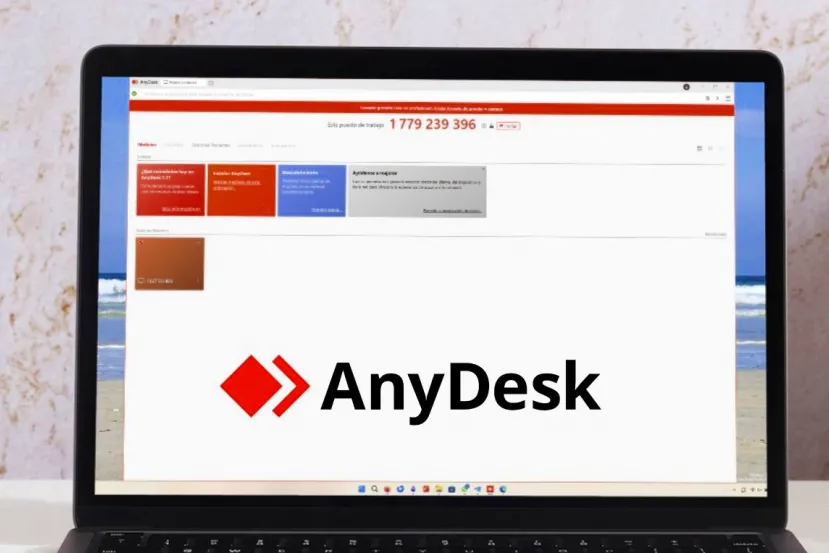
AnyDesk uses advanced technology to enable remote connection and control of devices . When you launch AnyDesk on your computer or mobile device, you are assigned a unique identification number that acts as your “address” on the network. This address is used to establish a secure connection between your device and the one you wish to control.
When you want to access another device, you simply enter the ID number assigned to that device into the AnyDesk interface. AnyDesk then establishes a direct connection between the two devices using a point-to-point approach. This means that data traffic is sent directly between the devices, without passing through external servers, ensuring a fast and secure connection.
AnyDesk also uses data compression and video codec technology to optimize connection performance. This allows for a smooth, lag-free experience, even on slower connections. In addition, AnyDesk offers extra features, such as file transfer, chat, and session recording, making collaboration and remote support even more efficient. You can learn how to use AnyDesk with this guide.
AnyDesk is a powerful and reliable tool for remote access and control of devices. With its ease of use, cross-platform compatibility, and advanced technology, AnyDesk has become indispensable for those who need to collaborate or work remotely. Whether you’re a professional who needs to access your computer from home or a support technician who needs to provide remote assistance, AnyDesk offers everything you need for a seamless and secure experience. Get the most out of this tool and discover how AnyDesk can improve your productivity and efficiency at work.
However, it is not the only software that offers remote access; there are many other solutions such as TeamViewer, Windows Remote Desktop, and VNC, among others.
About the Author