What is the BIOS?
The BIOS currently provides a vast amount of information that you often won’t find within the operating system itself. Generally, to access the BIOS, you need to press the “Delete” key repeatedly during the first 5 seconds of the computer starting up, although this key may differ on laptops. Within the BIOS, you can customize numerous features of almost any hardware connected to the motherboard. When we talk about ” overclocking,” the best and most efficient way is by entering the BIOS and modifying processor voltage values, as well as its operating frequencies. However, this process is not at all recommended for users new to overclocking.
The BIOS interface has changed significantly in recent years, and we now have versions that even allow the use of a mouse. This was unthinkable not long ago, when everything was controlled via the keyboard. One of the most sought-after BIOS options is enabling HyperThreading on Intel and AMD processors, which doubles the number of execution threads, so that each processor core has two parallel processing threads.
Table of Contents
ToggleWhat is the BIOS used for?
The computer’s initialization sequence begins with the execution of the BIOS, which recognizes the various devices installed on the motherboard. The BIOS allows all these devices to connect to the motherboard via software, establishing a link and set of instructions that will be used until the computer restarts.
The computer’s BIOS provides details about potential errors that may occur when starting the PC, especially hardware failures. It contains a specific beep sequence that the speaker should emit if a component fails; this sequence can be found in the motherboard manual. Thus, if the graphics card, RAM, or processor fails, it will emit different beeps.
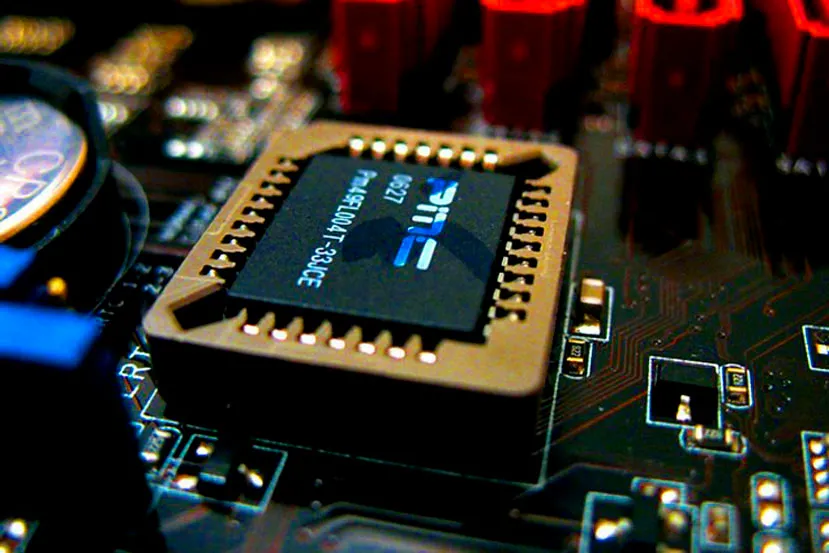
Currently, all mid-to-high-end motherboards come with dual BIOS. This is a highly recommended feature, as a corrupted BIOS usually renders the motherboard unusable. This way, you can have a copy of the chip and configuration from one BIOS on the other. Naturally, it’s possible to update the BIOS, although it’s generally not advisable since a failure could ruin everything.
The BIOS settings are stored even when the device is disconnected from the power supply for extended periods. They are saved in a battery located on the motherboard, ensuring their preservation for many years. However, this battery will eventually run out and need to be replaced. If your BIOS battery has died, don’t worry; simply replace it properly and, of course, reload any changes you may have made in the previous BIOS.
About the Author

BuzzBongo Tech Team
Administrator
The BuzzBongo Tech Team is composed of seasoned professionals with decades of combined experience in hardware analysis, software architecture, and digital journalism. We don’t just report on the latest gadgets; we live, breathe, and stress-test them. Our team is driven by a singular passion: ensuring that our readers have the honest, impartial, and expert-level information they need to navigate the rapidly evolving tech landscape.https://www.buzzbongo.com/buzzbongo-tech-team