What is Firmware?
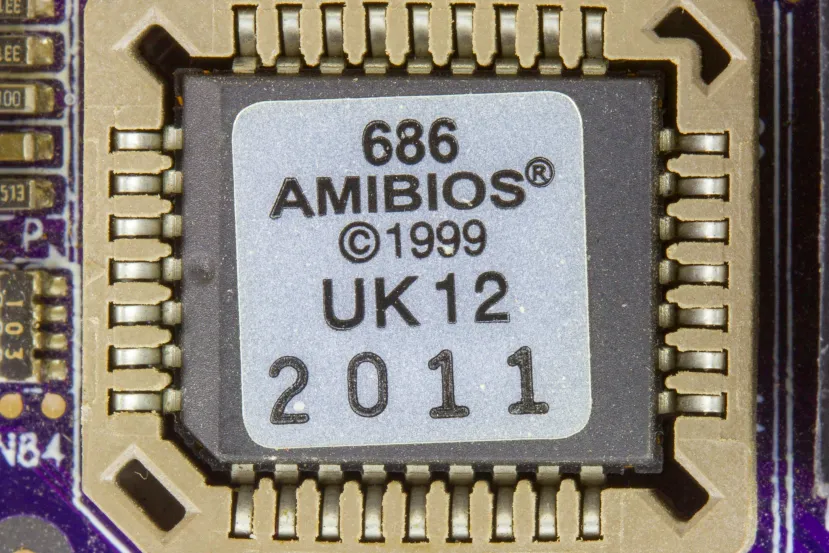
It’s a type of software program that allows you to control and communicate directly with a computer’s hardware. An example of firmware is a computer’s BIOS, but the vast majority of electronic devices have firmware, including cars, mobile phones, routers, and now even washing machines and other smart home appliances.
In a computer r system, there are several layers of software interacting with each other to make it function. The highest layers are the ones visible and with which the end user usually interacts, such as a computer’s operating system, a Smart TV interface, or a car’s onboard navigation system. But these higher layers communicate with other software levels below them, which in turn interact with the others around them, until we reach the lowest level: the firmware, which communicates with the hardware itself.
Firmware is always stored on non-volatile memory devices, such as ROM, EPROM, or Flash memory. If it’s stored on ROM, the chip needs to be physically replaced to update the firmware, while EPROM or flash memory allows for easier firmware updates, as is the case with computers, where it can even be done directly from the BIOS.
Firmware, like other software, can be customized, and in some cases, accessed as explained in this guide. Furthermore, third parties can build their own versions, which is often used to unlock extra features on devices. This includes, for example, jailbreaking some devices, homebrew projects on consoles and mobile devices (as in this case with the Nintendo Switch), or unlocking compatibility with additional processors on some Intel motherboards, allowing the use of Intel engineering samples.
Table of Contents
ToggleWhat is the purpose of Firmware?
Firmware is used to communicate with a system’s hardware devices, which is necessary for the proper functioning of higher-level software. All “smart” components have firmware, so in complex systems like a computer, it’s common to have multiple firmware versions.
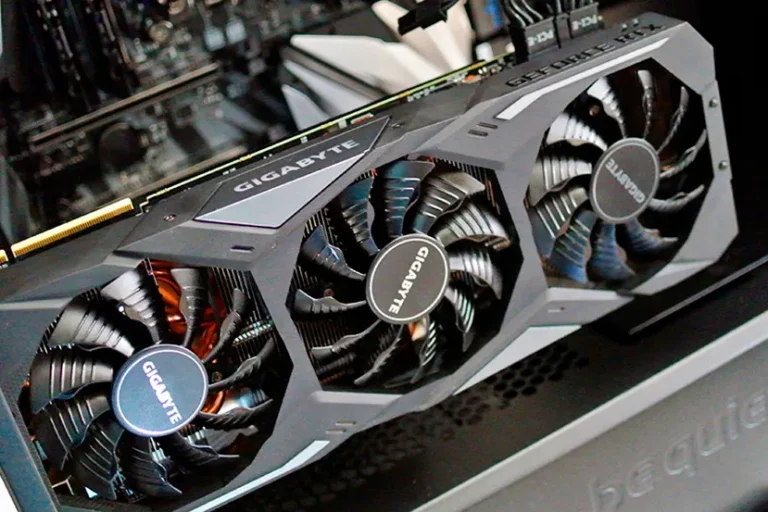
For example, in a computer you have the motherboard firmware, the BIOS, which is the most well-known, but other components like the processor, hard drives, and graphics cards also have their own firmware. These firmwares are obviously at different levels, and in the case of a computer, we have the BIOS as the “main” firmware, which communicates with, manages, and configures the others so that everything can work together.
In addition, to use any firmware, you need a program designed to communicate with it. This is why different drivers exist on all machines to ensure the correct operation of the various firmwares and, consequently, the different devices. Often, these drivers are very complex, such as those for a cutting-edge graphics card like the Nvidia RTX 3000 series, but there are also some simpler drivers for devices of the same type.
Firmware can also be used or modified for malicious purposes, making it one of the easiest and most effective ways to infect a device . Because it’s a piece of software that runs at such a low level, it can act virtually without limitations on all parts of the system, making it very difficult to detect and control its activities on the device. Ironically, firmware is one of the hardestparts too prote; being below the operating system, it’s difficult for a conventional antivirus program, for example, to affect it.
About the Author

BuzzBongo Tech Team
Administrator
The BuzzBongo Tech Team is composed of seasoned professionals with decades of combined experience in hardware analysis, software architecture, and digital journalism. We don’t just report on the latest gadgets; we live, breathe, and stress-test them. Our team is driven by a singular passion: ensuring that our readers have the honest, impartial, and expert-level information they need to navigate the rapidly evolving tech landscape.https://www.buzzbongo.com/buzzbongo-tech-team