
For this selection, the term “applications” includes software for desktops and mobile devices, as well as browser extensions and web tools.
As always, many of the best apps of the year are ones you’ve probably never heard of. Of course, there are some familiar names on this list, especially in the burgeoning field of artificial intelligence.
But the real highlights of 2026 innovated on a smaller scale. These are apps that offer better ways to take notes or remember tasks, write using only your voice, have fun taking photos, or even revisit classic games.
For this selection, the term “applications” includes software for desktops and mobile devices, as well as browser extensions and web tools. Some are entirely new; others have received updates that warrant a fresh look.
The idea is for you to find something that quickly becomes indispensable.
Productivity Apps
By opening Raycast with a keyboard shortcut, you can quickly locate files, search the web, access your clipboard history, paste frequently used text snippets, rearrange windows, search for emojis, ask questions to an AI, and much more.
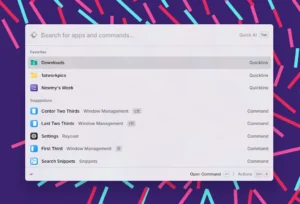
This is a true Swiss Army knife of tools for advanced users, focused on saving time. In 2025, the app finally arrived on Windows and iOS, complementing the already established Mac version. Available for Windows, Mac, and iOS.
Cloud storage is great, but sometimes you need a faster way to send files to yourself. Payload scans your Wi-Fi network for devices with the app installed and uses that connection to transfer files almost instantly, without leaving your local network.
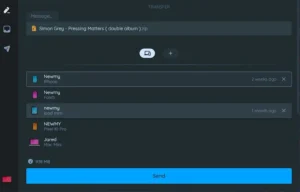
Previously restricted to desktops, the app arrived on mobile devices this year and also launched an optional online service for remote sharing. Available for Windows, Mac, Linux, iOS, and Android.
Apple’s default TextEdit editor can be quite cumbersome when you just want to take quick notes. Antinote streamlines the process with a simple, plain-text notepad that can be opened with a keyboard shortcut (Option+A by default).
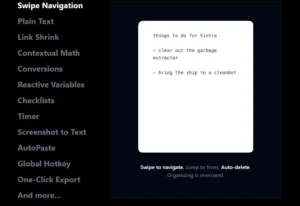
You can also create to-do lists by typing “todo” at the top of the note or do calculations by typing “math”. After a free trial period, the app costs a one-time payment of US$5. Available for Mac.
Most internet speed test tools only offer a snapshot of upload and download speeds at a moment. Orb takes a different approach: it allows you to run continuous tests throughout the day, providing a clearer view of your connection’s reliability.

It’s also possible to install the app on multiple devices in your home to identify where the signal is weakest. Available for Windows, Mac, iOS, and Android.
Artificial Intelligence Applications
While many AI companies keep records of conversation history – and sometimes even share chats with human reviewers – Proton’s Lumo stands out for its insistence on “not knowing” anything about the user.

The company does not log conversations or use them to train its models, meaning there is no way to access chat history. Available for iOS, Android, and the web.
Amid the wave of AI-powered browsers, Perplexity stands out for its ability to browse the web on behalf of the user. It can be used to cancel subscriptions, search for flight deals across multiple websites, or even send the same question to different AI tools to compare answers.

Care must be taken when allowing access to sensitive data. Available for Windows, Mac, and Android.
The native voice dictation features on phones and computers work well, as long as you don’t mind doing a lot of manual editing afterward. Wispr Flow manages to be much more accurate by using AI to automatically clean up the text and learn from your writing style.
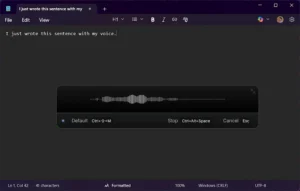
It’s also practical for use during short breaks, thanks to the “push-to-talk” shortcuts. Available for Windows, Mac, and iOS.
Google’s AI assistant is nothing new, but its built-in text-to-image model, Nano Banana (released this year), could be an app in itself. Simply send an image and ask it to render it in a different visual style, remove objects (including wire fences), zoom in and improve the quality, or add new elements to the scene.

You can even draw over parts of the image to indicate where edits should be made. Available for iOS, Android, and the web.
What if there was a social network where you didn’t have to wonder if something was generated by AI – because everything was generated by AI? That’s the proposition of Sora, from OpenAI. The app even allows you to create a digital “copy” of yourself and control who can use it in videos (only you, only friends, or anyone).
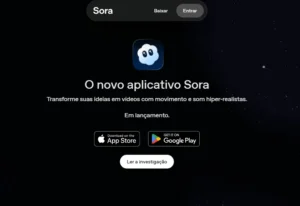
It’s true that deceptive deepfakes from Sora, without watermarks, leaking to the rest of the internet,t are a problem. But, at its best, the app is admittedly artificial, fun, and not at all deceptive. Available for iOS and Android.
Photo And Video Apps
Serif’s suite of image editing tools is a popular, subscription-free alternative to Adobe’s Photoshop, Illustrator, and InDesign. Because of this, many users were apprehensive last year when the company was acquired by Canva, known for its subscription model.
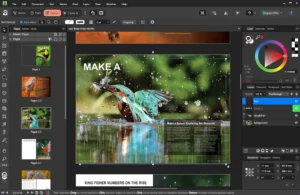
In 2025, Canva not only fulfilled its promise to keep Affinity subscription-free but also released the entire desktop suite for free. The only requirement is a Canva account and a subscription if you want to use some of the AI tools. Available for Windows and Mac.
Google’s bet on multi-track video editing allows you to combine video and audio clips with transitions, narration, and subtitles. There is, of course, an AI component, with the option to generate clips using Google’s Veo 3 model. Beyond that, it’s a simple and free way to edit videos online. Available on the web.
Chosen by Apple as the “Best iPad App of the Year,” Detail is a practical tool for professional or aspiring content creators. The app helps record videos in various ways and also offers an AI-powered editor capable of cutting unwanted sections.
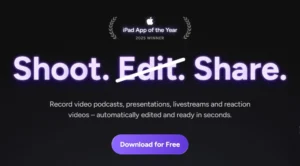
The big difference, however, lies in the ability to combine multiple iPhones and iPads: from split-screen video podcasts to live monitoring on the iPad while recording on the phone, or even top-down filming with an iPhone while audio is captured on an iPad. Available for iOS and Mac.
This free Windows application enhances the appearance of Zoom calls by illuminating the outer edges of the screen with a bright white light. The idea comes from light rings that attach to the monitor.
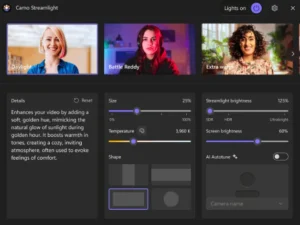
The effect is subtle in well-lit environments, but it can make a big difference when the lighting is poor. Available for Windows.
Security And Privacy Apps
Apple’s Safari browser has finally gained the free, open-source, and highly customizable ad and tracker blocker it was missing. This version, derived from the traditional uBlock Origin, does an excellent job of “cleaning” web pages.
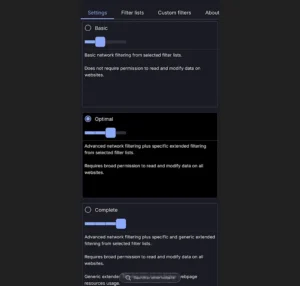
It also allows for fine-tuning of filtering rules – for example, to hide cookie notices or social media widgets. The same extension is also available for Chrome. Available for iOS and Mac.
For over a decade, Have I Been Pwned? has been a go-to resource for checking if your email and passwords have been exposed in data breaches (the answer is almost always yes).

In 2025, the site began offering a personal dashboard with a complete history of breaches associated with your email address, the types of data exposed, and the option to set up alerts for future security breaches. Available on the web.
Proton’s two-factor authentication application is the
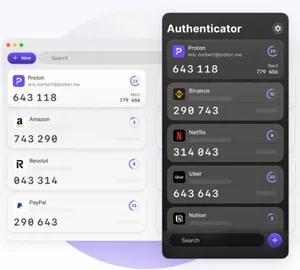
Authy, which used to be before shutting down its desktop versions, allows you to set up 2FA (two-factor authentication) codes that add an extra layer of protection to online accounts, with backup and synchronization between devices. This makes 2FA more convenient and reduces the risk of being locked out of your own accounts. Available for Windows, Mac, Linux, iOS, and Android.
Apps For Your Free Time
Wikitok
This ingenious website applies TikTok’s addictive infinite scrolling to random Wikipedia pages, allowing you to scroll until something sparks your interest.
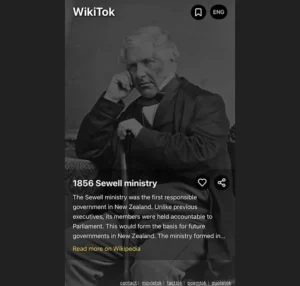
The experience is much less stimulating – and that’s precisely the point. Worth trying before bed. Available online.
For those who are exhausted from social media, Tapestry
Allows you to create a chronological feed with your favorite online content sources, including news publications, YouTube channels, Reddit forums, Bluesky accounts, and even custom sources like your Gmail inbox. Available for iOS and Mac.
This veteran podcast player continues to establish itself as the best multiplatform option, not restricted to the Apple ecosystem.
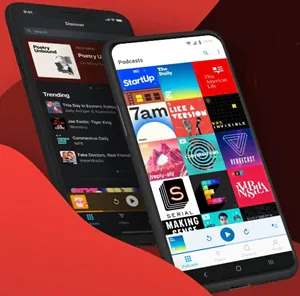
In 2025, Pocket Casts made its web player free, which syncs progress with the mobile app so you can resume episodes from where you left off.
The service also revamped its search function, added recommendations for similar podcasts, and launched searchable transcripts as a paid feature. Available for iOS, Android, Windows, Mac, and the web.
This free application greatly simplifies the previously complex task of running old DOS games on a computer.
Instead of dealing with command lines, simply drag and drop the files into the DOSBox window and select the .EXE file you want to run.

Aside from that, all you need are the games themselves, easily found from sources like the Internet Archive and My Abandonware. Available for Windows, Mac, and Linux.
About the Author