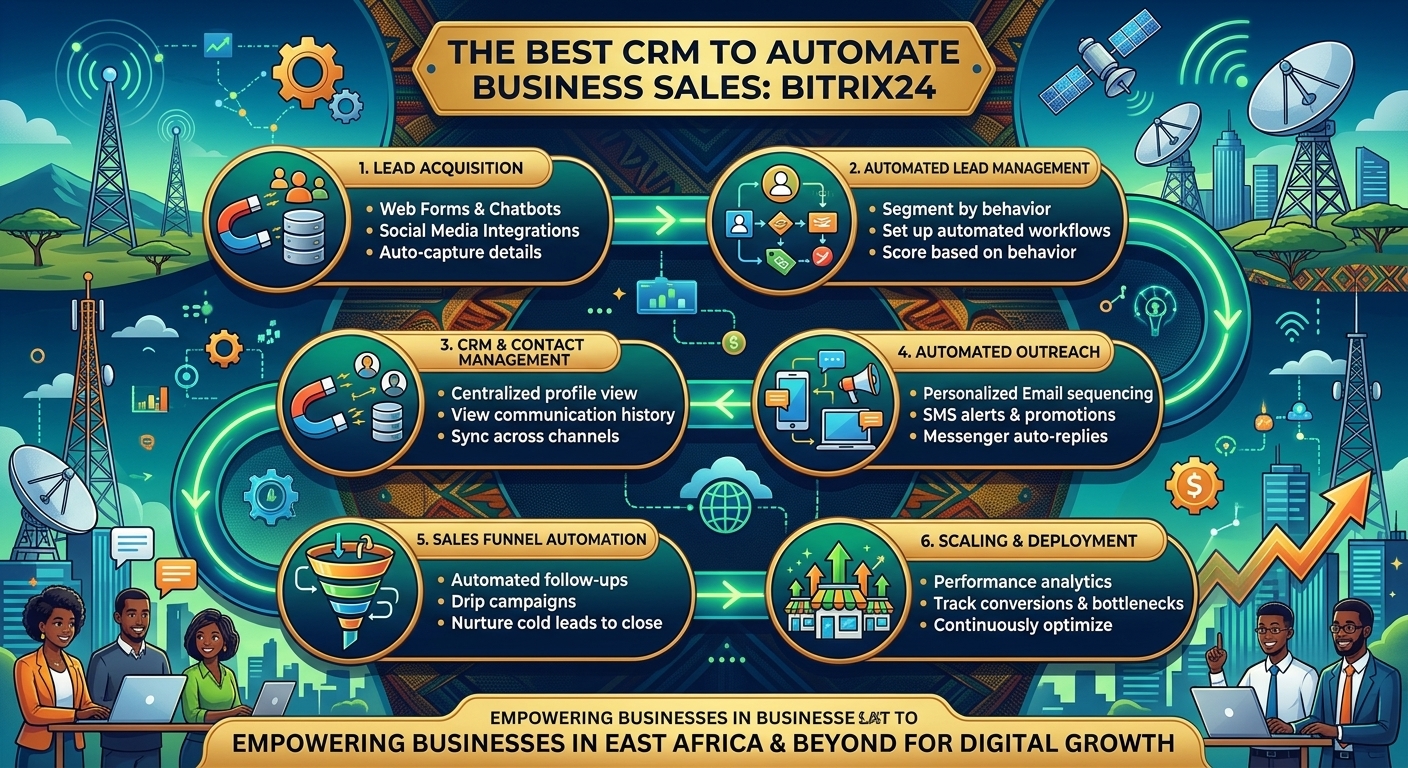
If you want your business to go from selling $1,000 a month to selling $100,000 or even more, you need to learn how to automate.
If you don’t have an automated sales system, you’re losing time, customers, and money, and you’re essentially a slave to your business. That’s why in this video I’m going to teach you everything you need to know to start automating your business’s sales today. You’ll basically learn three things:
- What are automations and why are they important for your business?
- How to create automations step by step.
- Which tool to use to automate your business’s sales.
What are automations and why are they important for your business?
Automations are pre-established actions and strategies that aim to accompany the customer throughout the entire purchase process to generate greater trust and maximize their satisfaction.
Thanks to these automations, you can get customers 24/7 for your business in a much more efficient way than if you manage them manually.
For example, some basic automations are: sending a quote to the customer when they request it, transferring an order to the respective area when the customer makes the payment, sending the invoice to the customer when the purchase is completed, etc.
Automation is the foundation of solid business growth. If you manage multiple sales channels (Facebook, Instagram, WhatsApp, etc.) and don’t have an automated sales system, managing your business will be complete chaos because you’ll take too long to respond, customers will have a bad experience, and you’ll end up losing time, opportunities, and money.
With that clear, let’s now go step by step and learn how to build automations from scratch. And to do this, we’ll use the Bitrix24 CRM tool.
Step 1. Create your account on Bitrix24.
The first thing you should do is access Bitrix24 from here and create a free account.
We wait a few seconds while our account is created.
Now we will answer the basic questions so that the platform can optimize its functionalities according to the characteristics of our company.
We click on “Finish,” And that’s it; ur account is now created.
After completing the registration process, you will receive a confirmation email from which you can create your access password. I recommend doing this before you start exploring the platform.
Now, to use all of Bitrix24 ‘s CRM tools, you must click on the purchase button above and activate the 15-day free trial offered by the platform.
And that’s it. Our account is now ready for seamless automation.
Step 2. Profile and segment your customers.
Before getting into the technical aspects, it’s important to have a very clear understanding of who your customers are. Consider the characteristics that might influence their purchasing decisions: age, gender, socioeconomic status, geographic location, education level, etc.
There are various approaches to segmenting customers; however, one of the most effective ways is through personal motivations—that is, why and for what purpose the customer buys your product or service. For example, if you sell flowers, some may buy them for decoration, while others want to give them as gifts. In both cases, the motivations are different, and therefore, different strategies are required to persuade the customer.
I recommend making a list in a notebook of the different customer profiles you have defined for your business.
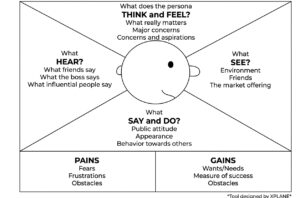
And if you want to understand your customers’ motivations, you can use the Empathy Map, a visual thinking tool that’s very useful for getting to know your customers in depth. Remember to apply the empathy map to each customer profile you’ve defined.
Step 3. Analyze and understand your customers.
The most important thing for building effective automations is understanding our customers and their buying process. To do this, I recommend using the Customer Journey Map, a tool that allows us to see the step-by-step process our potential customer follows to solve their problem or satisfy their need: What tools do they use to research the products and services they buy? Which social media platforms do they interact with? Who do they talk to before making a purchase decision? What devices do they use? What payment methods do they use? What factors influence their decision? What factors cause them fear, pleasure, or frustration during the process? etc.
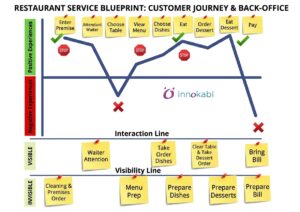
If we understand what the customer is looking for and how they feel at each stage of the buying process, we can provide them with a much more satisfying automated experience.
All the time and effort you invest in getting to know your customers better is time and effort that will return to your business.
Step 4. Build your sales funnels.
A sales funnel is the system through which we manage the customer’s buying process. In other words, it’s the step-by-step plan for how we interact with the customer at each stage of the process, from the initial desire to buy to after-sales service.
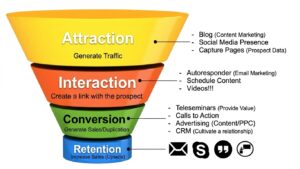
If you search on Google for “Sales Funnel”, you will find different models that differ slightly in the names of each stage, but basically they all agree on four key objectives:
- Attract potential customers.
- Build a relationship with potential customers.
- Generate sales or convert.
- Build customer loyalty.
Each company must design its own sales funnels or processes for each customer profile it is targeting. The most important thing is to understand that at each stage of the process there are objectives to achieve and barriers to overcome if we want to build automated sales systems.
To configure our sales funnels, we return to Bitrix24 and click on the CRM option in the menu on the left.
By default, the platform presents this sales process structure, but we can edit it according to how we have structured our sales funnels. Everything is customizable.
You can configure sales funnels according to the specific needs of your business. You can even create multiple sales funnels for different processes: one for new customers, another for repeat customers, or for different products or services.
Another very useful feature is the ability to connect different funnels using sales funnels. This allows a deal to automatically move to a different funnel when it reaches a certain stage, keeping the process organized. For example, if a customer buys product A, we can send them to a funnel that offers complementary products and services related to that product. But if they buy product B, we can send them to a different funnel specifically related to that purchase.
You’ll find this option in CRM, Sales Pipelines, and Tunnels. From here, you can create all the connections you deem necessary to maximize Customer Lifetime Value, that is, how much money a customer generates for us during their time as a customer.
Many businesses overlook this. They make a sale once and think the job is done, missing out on significant opportunities to offer complementary products and services that would add considerable value for their customers and generate additional revenue. Consider, for example, an auto repair shop. It can build a sales funnel focused on maintenance services. After completing this service with a customer, the next maintenance appointment would have to wait several months, but the business can offer complementary products and services during that time through another sales funnel. By structuring your business this way, you’ll be much more profitable, and your customers will be more satisfied.
Step 5. Create automation rules and configure triggers.
Once our sales funnels are built, we can now automate them. Most entrepreneurs manage their business with Excel, but in Excel, everything has to be done manually: updating statuses, moving clients from one stage to another, sending reminders, etc. This is very time-consuming and inefficient for the client.
With Bitrix24, we can set up automation rules and triggers that automate our sales process.
Automation rules are the guidelines the sales system will follow to perform automations. For example, if the customer performs action A, we will automatically perform action X. Triggers are the specific actions that activate the automation. For example, payment confirmation can be a trigger that activates the automation rule for sending the invoice.
These options can be found in CRM and Automation Rules. As an example, let’s create a rule to automatically generate an invoice when the transaction amount is recorded. In this case, I want this automation to apply to customers in the initial stage of my sales funnel. I click “Add” in this first phase. Here we see all the automation options, but the one I want to create is a workflow automation. I select it. And I want the customer to move to the “Invoice” stage when the amount is recorded. I click “Add.” In “Execution,” I choose the “Parallel” option so the automation runs instantly, regardless of whether another automation rule is running. In “Time,” we can choose whether we want the automation to run immediately or within a specific time period. We click “Add Condition.” We see all the condition options we can set, but what I want is for the automation to be linked to the transaction amount. Here I can configure it in several ways, but I’m going to set the condition to be that the amount is greater than $0. And now I choose which stage the customer should go to when the transaction amount is recorded, which in this case would be “Invoice.” I can also choose to assign someone responsible for this change when the automation runs. I click “Save.” And again “Save” here below. Our automation is now complete. Let’s test it. Let’s register a new transaction. We fill in the data. And we see that the automation ran correctly. If the transaction record doesn’t have the amount recorded, then it will remain at the initial stage.
You must have a clear understanding of how your business processes work so that you can take full advantage of all the automation options that Bitrix24 offers.
Other examples of automation rules include: sending an automatic email when a new customer arrives, moving the customer through the sales funnel when they pay, or automatically assigning tasks to a team member or department. All of this happens without human intervention, but it depends on the specifics of your business model.
Step 6. Manage your sales funnels from Bitrix24.
With the sales funnels built and automated, we can now start managing customers.
When negotiations begin to arrive, we can see them within each funnel in Kanban format, allowing us to easily visualize what stage each negotiation is at and how the sales process is progressing.
If we identify any bottlenecks in the process, we can make decisions that allow us to optimize and provide more efficient customer service.
Step 7. Integrate your Bitrix24 with other tools.
Another advantage of Bitrix24 over Excel is that you can connect your account to your email, calendar, WhatsApp, and website. This means you can manage your entire business from a single place. For example, you can:
Connect your email to reply directly from the customer’s profile.
Connect your Calendar to schedule meetings and reminders.
Connect WhatsApp, calls, and social media to provide faster responses to customer communications.
You can connect your account to web forms, so if someone leaves their data on your page, it will automatically appear in the Bitrix24 CRM.
You can even connect phone numbers to the CRM and call clients directly from the deal record. The call transcript and analysis will appear within the respective deal record.
You can do all these integrations from the Contact Center or the respective section, as with the calendar and webmail. Then, from the deal records, you can send emails to the client, call them, generate an invoice, create a new task, and so on.
Step 8. Boost your business sales with artificial intelligence.
Many may now be wondering if we can use artificial intelligence in this process with Bitrix24. And the answer is yes.
Thanks to artificial intelligence, we can detect recurring sales opportunities and recommendations for additional products or services, so we won’t miss any customers.
But that’s not all. Another very interesting example of how to use Bitrix24 ‘s AI to optimize our sales is call analysis and live support. If we activate this option, CoPilot analyzes our calls and then provides us with real-time advice and recommendations. This means closing more sales and providing better customer service, something difficult to achieve using only Excel.
To activate this option, go to your account settings, CoPilot Preferences, and CRM. Bitrix24 ‘s AI assistant can transcribe calls, generate summaries, and populate CRM fields from them. It also offers practical tips with potential improvements for your conversations.
Step 9. Leverage Intelligent Processes in CRM
Bitrix24 understands that every business is different, which is why it offers intelligent processes that allow you to create customized scenarios. For example: managing VIP clients, contract renewals, providing after-sales support, managing special projects, and more. Bitrix24 adapts precisely to your business needs.
This option can be found in the CRM section, under More and Intelligent Process Automation. Here, you can create and configure process automations. The records for these processes will look similar to those for deals, contacts, etc., but the difference is that they can be customized to meet specific business scenarios by creating the necessary fields and configuring the corresponding automation.
Conclusion
When your business has few clients, you can do everything manually or with Excel without any problem. But as you start to grow, you need a CRM to help you optimize and automate customer management, or you’ll lose a lot of time, sales, and money.
Tools like Bitrix24, which features automation, artificial intelligence, and flexibility to adapt to our company’s needs, are undoubtedly essential for our business to grow sustainably and allow us to go from billing $100 a month to $1,000, $10,000, $100,000, or more.
If you use Excel to work with your clients, you can import it into Bitrix24 in just a few clicks and make your work more efficient, simple, and enjoyable.
Remember that in the description and in the comments, we left you the link to the 15-day trial of Bitrix24.
Related story
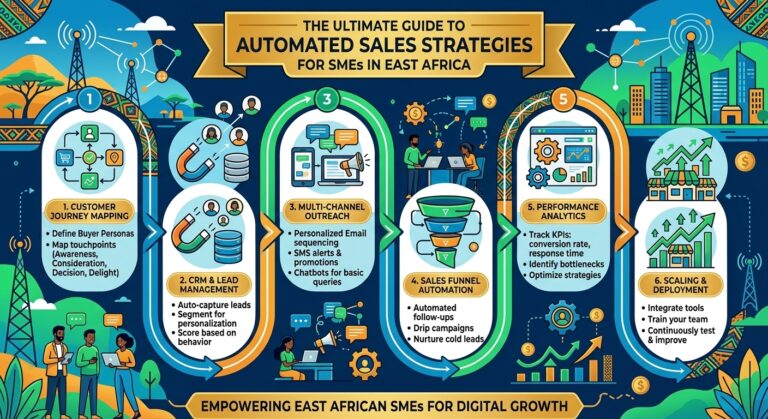
The Ultimate Guide to Automated Sales Strategies for SMEs in East Africa
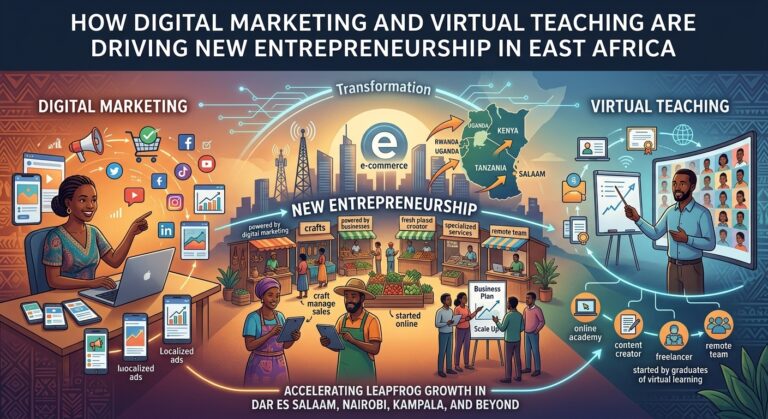
How Digital Marketing and Virtual Teaching are Driving New Entrepreneurship in East Africa
About the Author